Showing posts with label electronics. Show all posts

Monday, March 18, 2013

Breakout board for the Raspberry Pi


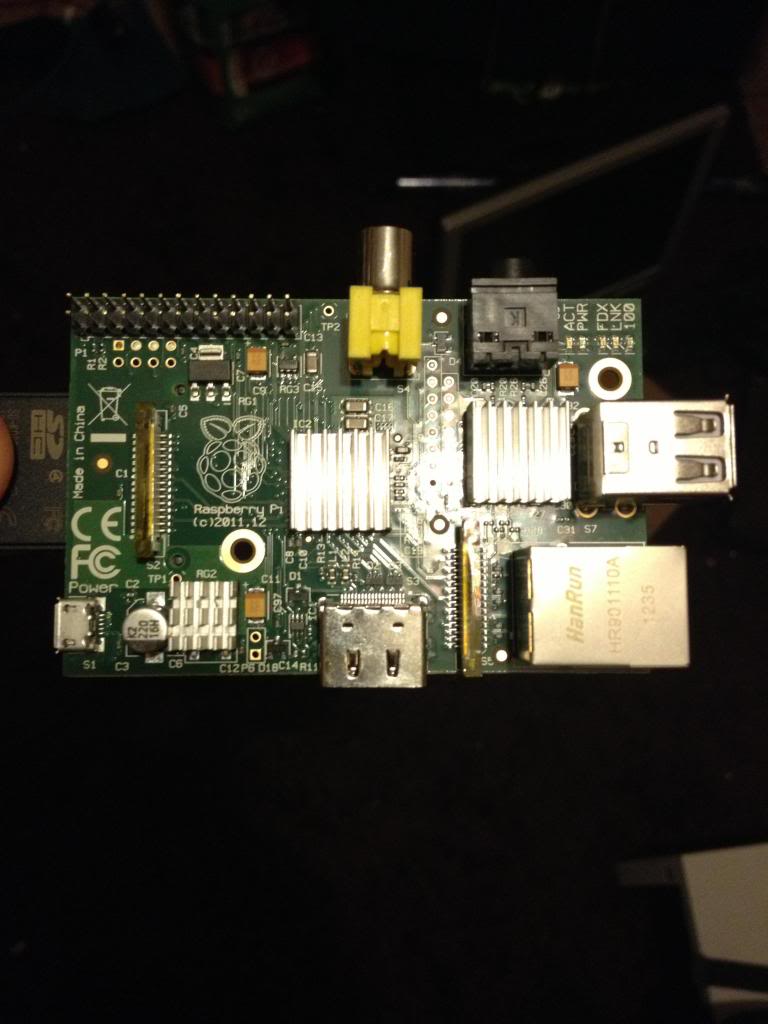
I've been talking a lot about my Raspberry Pi recently. That's because I've been playing with it a lot!

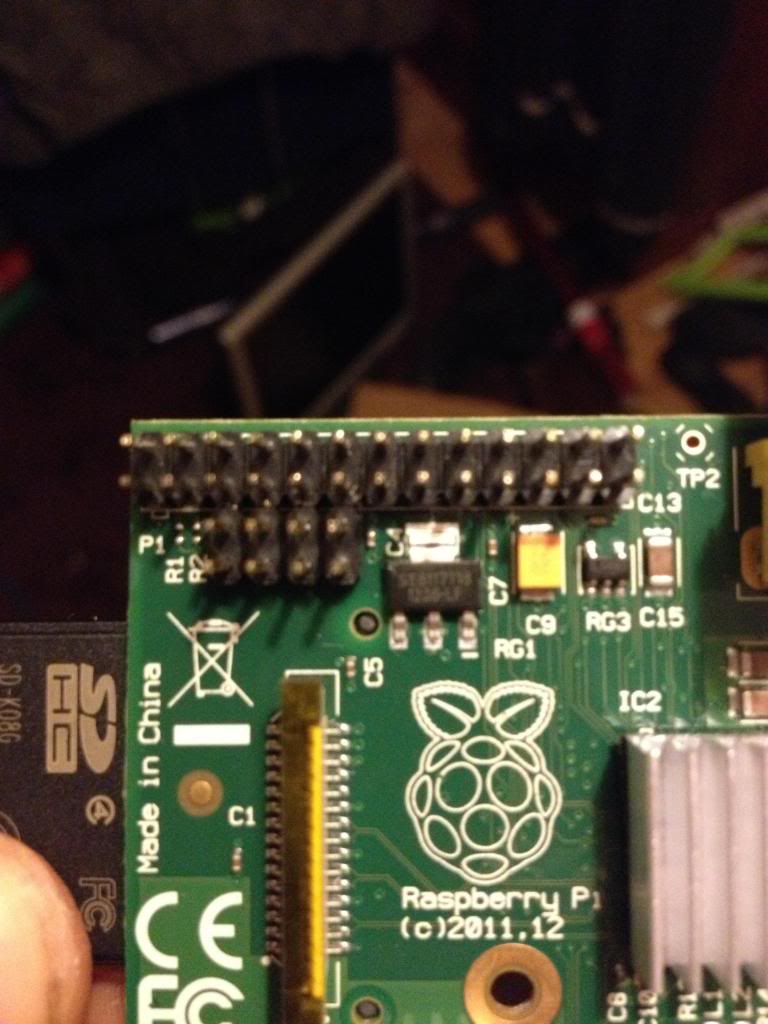
On the Raspberry Pi there is a row of pins called GPIO pins, the block of pins is called P1.
These are on most versions of the Raspberry pi the only  input/output pins available.

However on later versions there is a set of 8 pins next to P1 that have no pins soldered in.


So the first thing to do is remove the solder from this header (P5).

The plug for this header is supposed to be mounted with pins facing downwards. personally I don't understand why I'd want to have cables trailing from the top and the bottom of the boards, to me this seems like a crazy idea. I'd much rather have all my pins accessible from the top. especially when I use the mounting holes in this rev 2 board to screw the board down!

After removing the solder I've added 8 new pins to P5


Next there is a new pin header called P6 on the board, this is a set of pins that a reset switch can be attached to.


So now I need to get a plug to attach to these pins.

I started with a 44pin IDE cable.

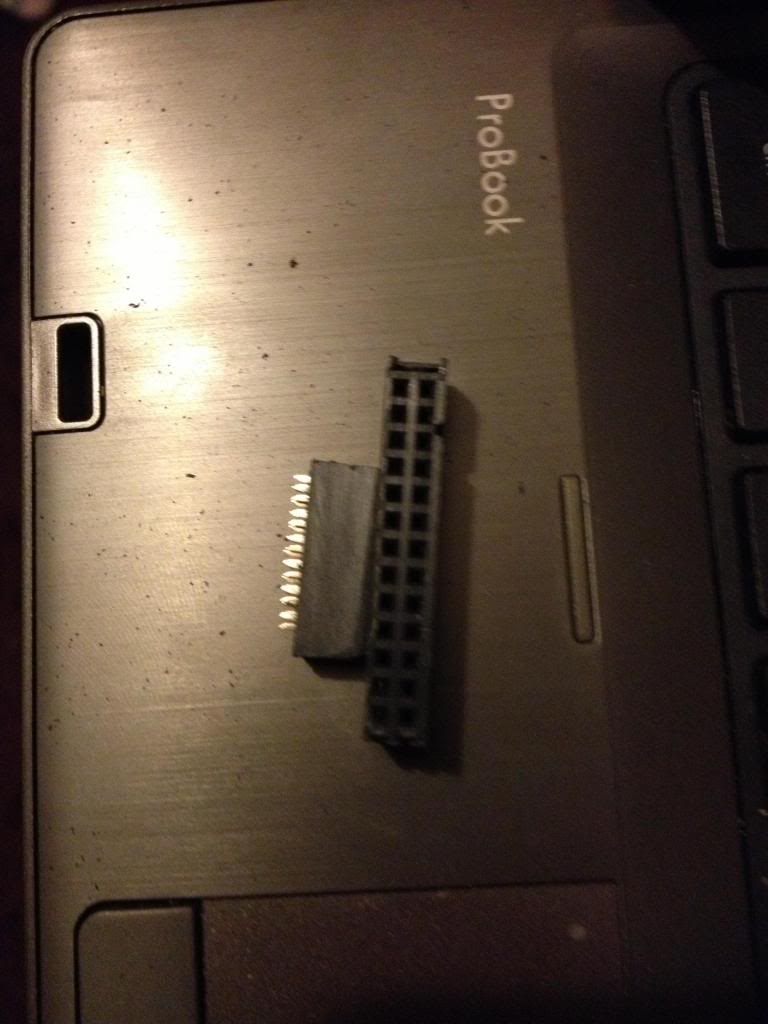
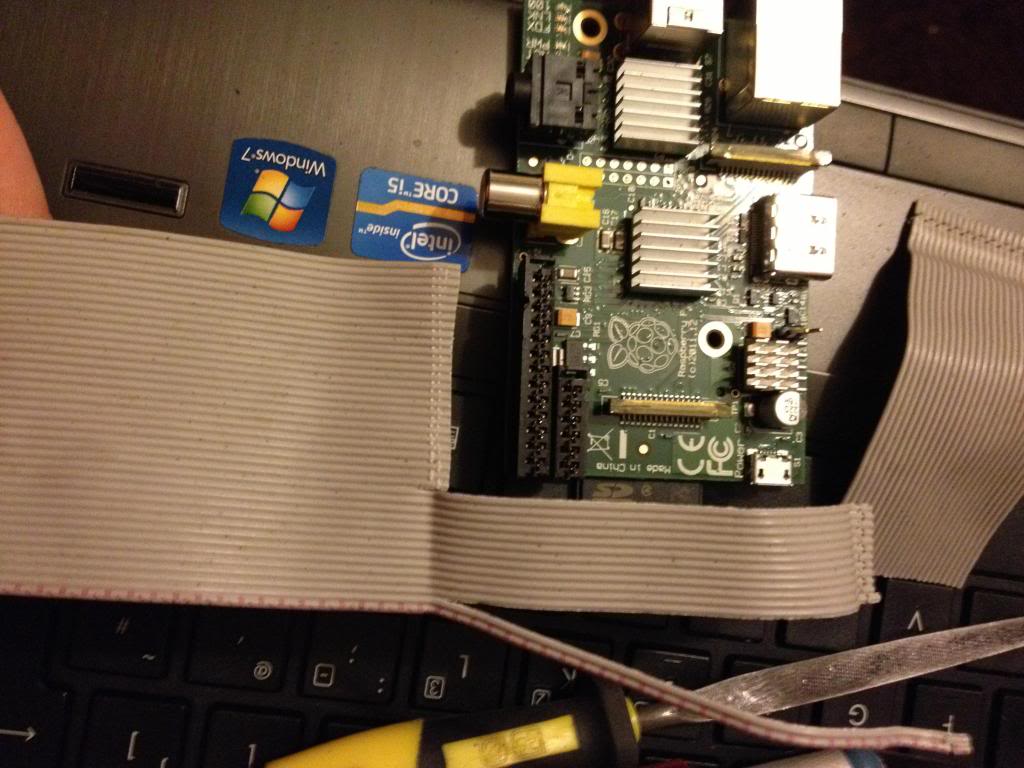
Start by removing the cable from the connector at one end, put that connector that you removed into connector P1. mark the first un-used set of holes, then using a utility knife cut through this set of holes.
This wastes 2 pins in the connector, but don't worry.


Now using a file or some sand paper you need to sand down the sides of the connector plug so that you can put these two plugs next to each other on the pins of P1 and P5 without them bending the pins.
This is halfway through,


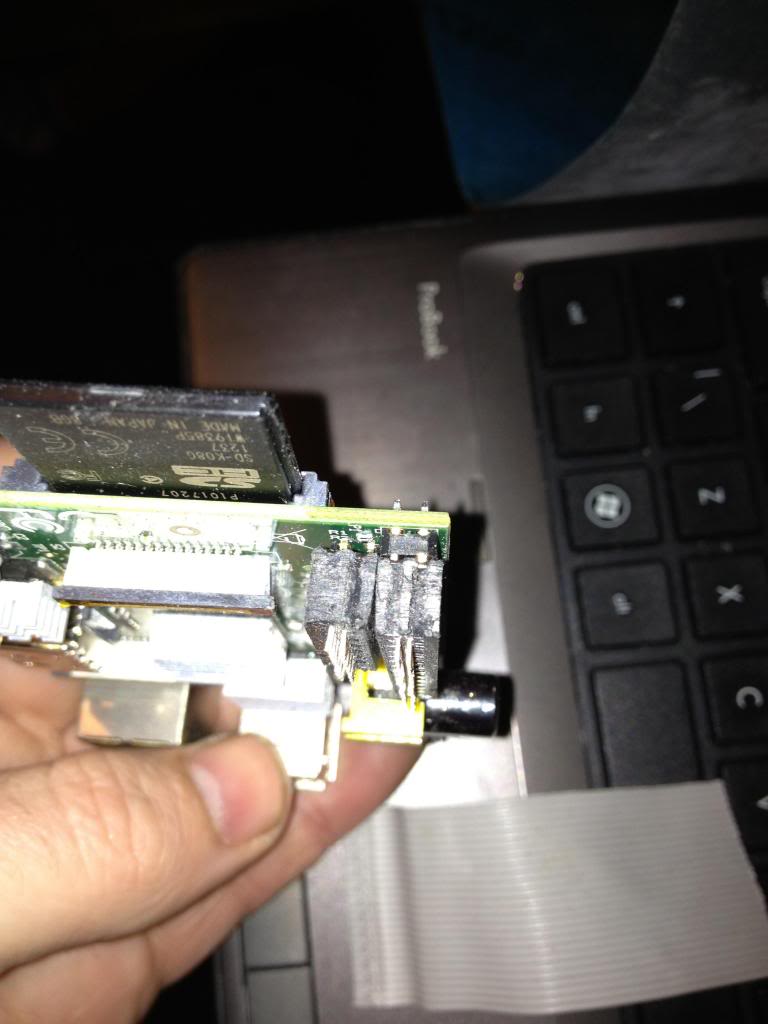
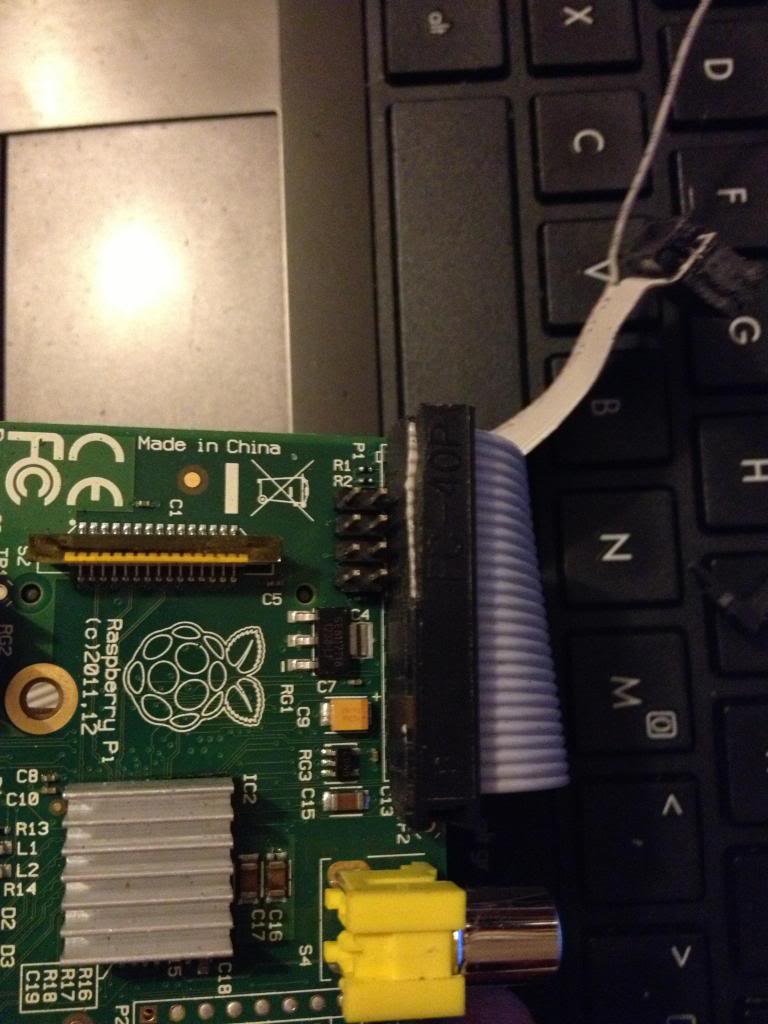
In the end the plugs should comfortably sit next to each other.

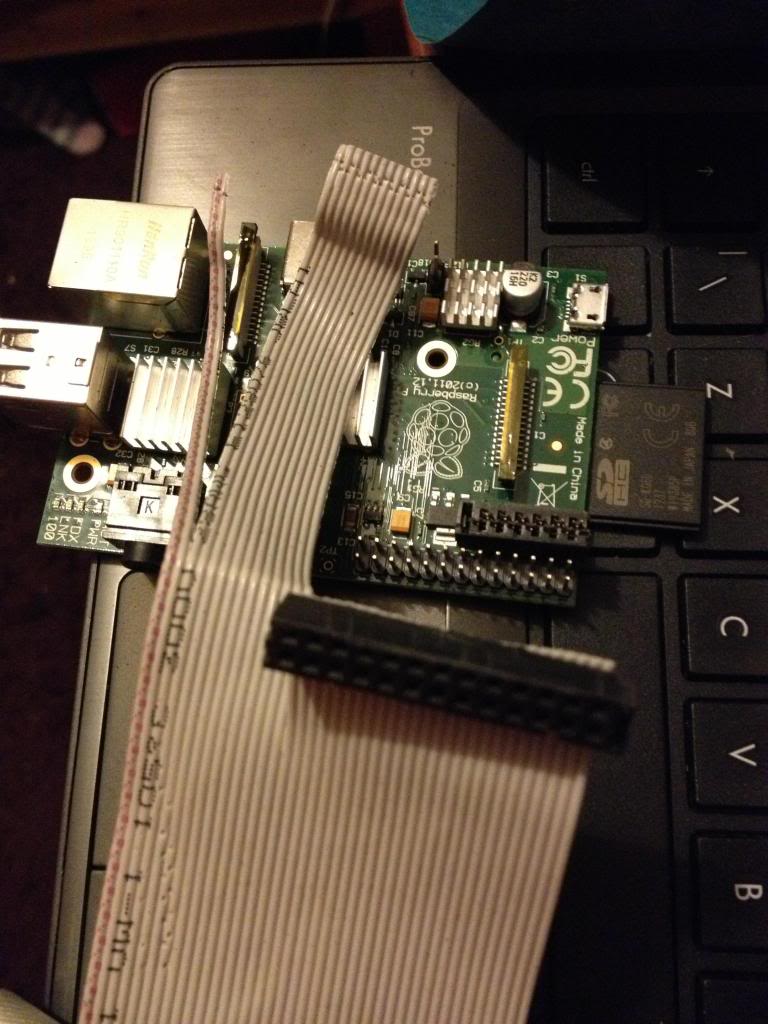
Next take the cable, and divide it to split the cable with 26 pins from end of the cable, lay this across the board and trim the first 26 conductors in the cable so that they are about 1 and a half to two board widths shorter than the rest of the cable, also split the first two conductors away from the bulk of the cable.


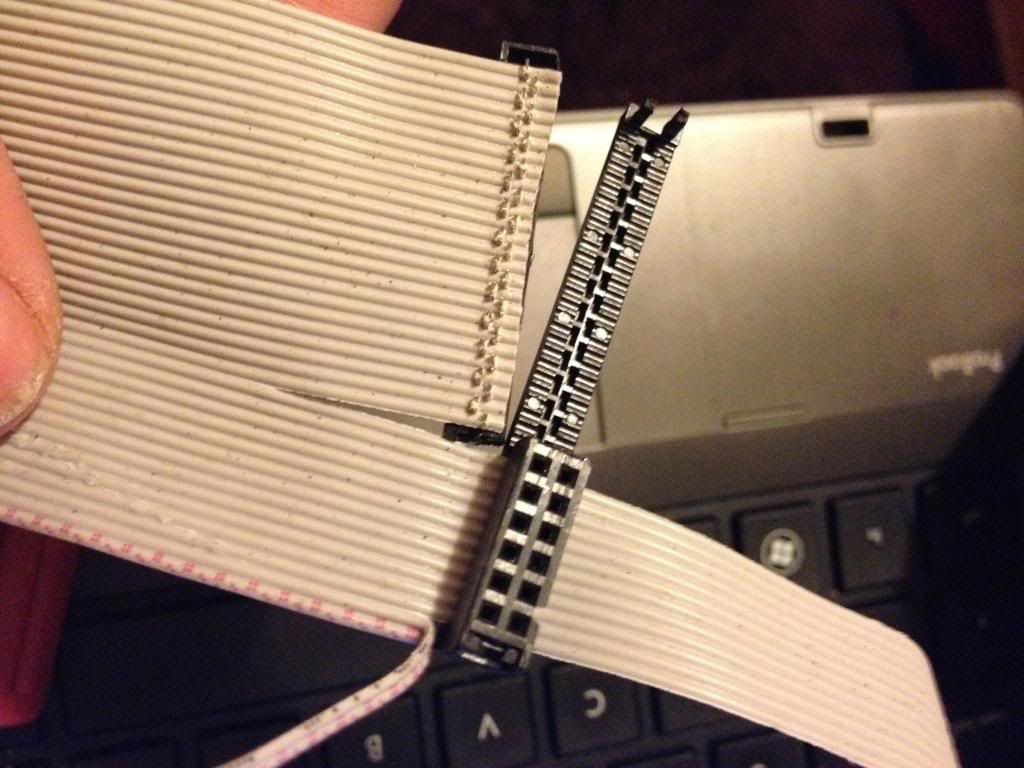
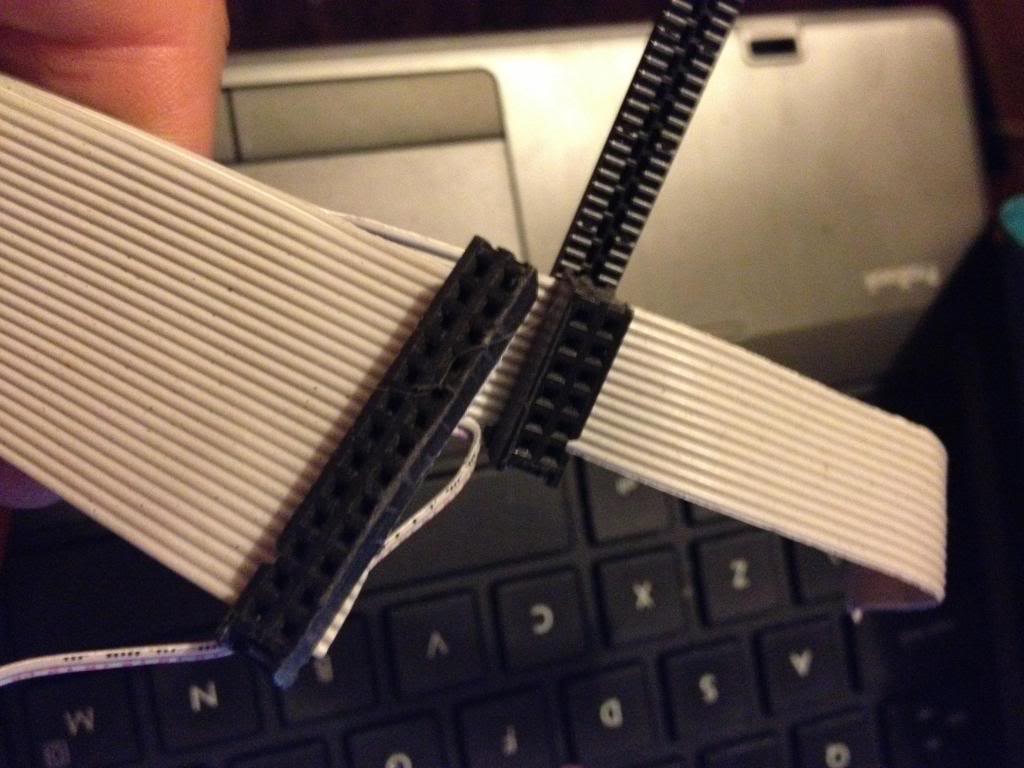
Now attach the larger half of the connector that was cut in two to the first 26 pins.


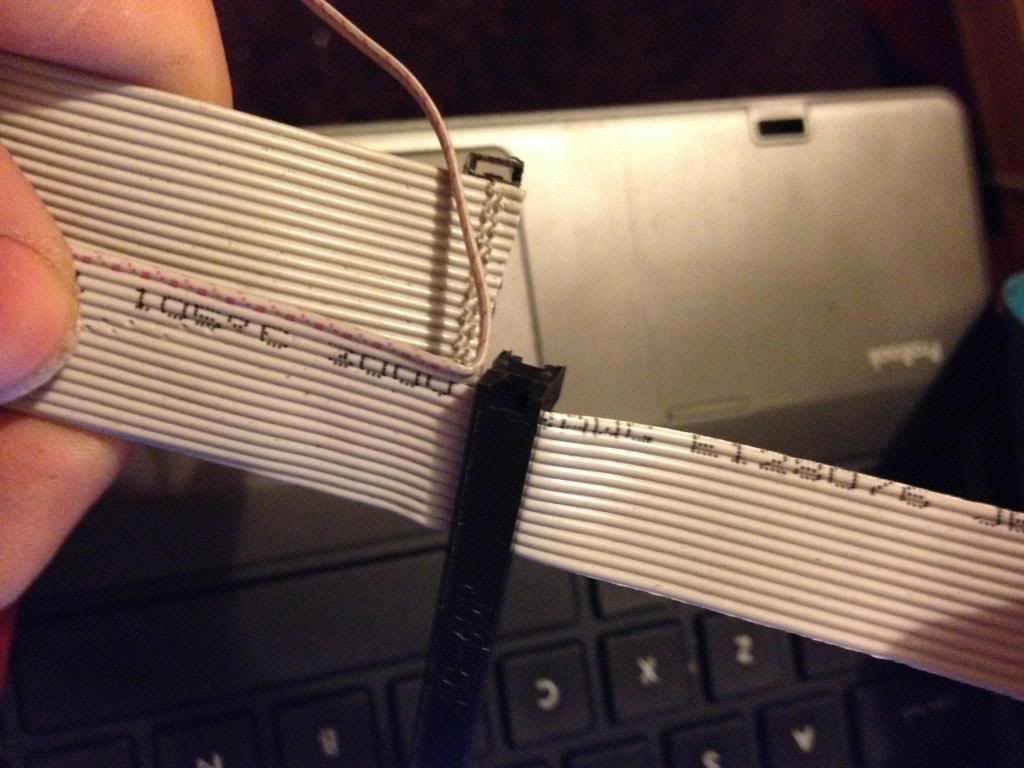
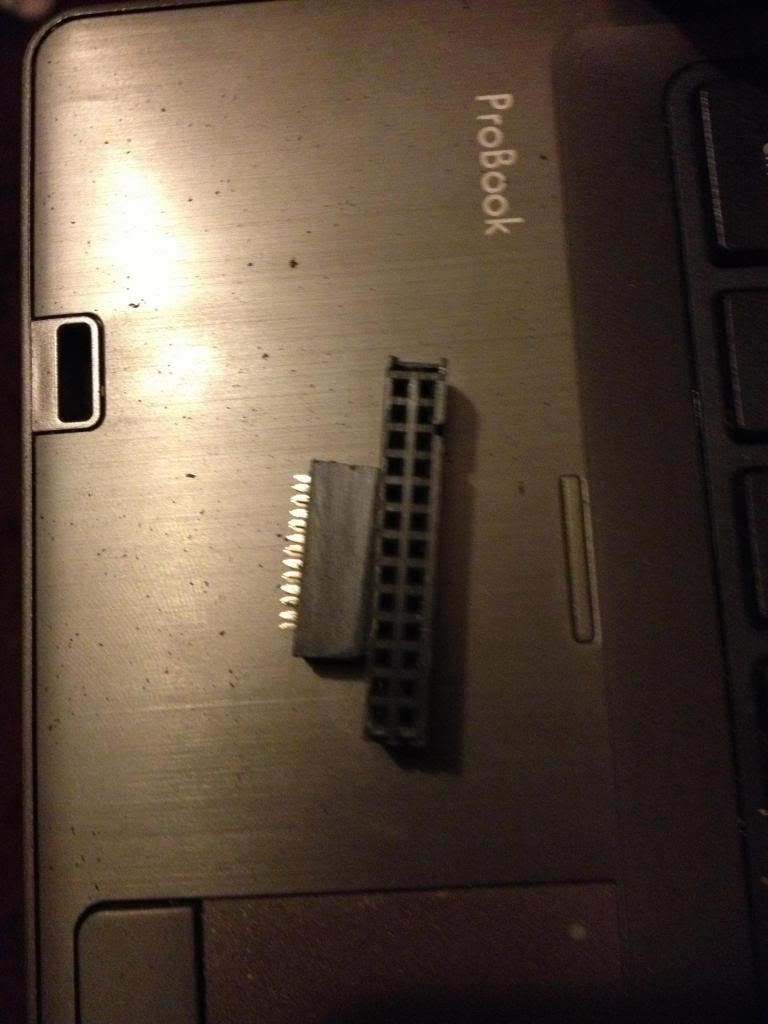
Next turn the cable over, and attach the smaller half of the connector to the remaining part of the ribbon cable, so that it sits diagonally next to the P1 connector.

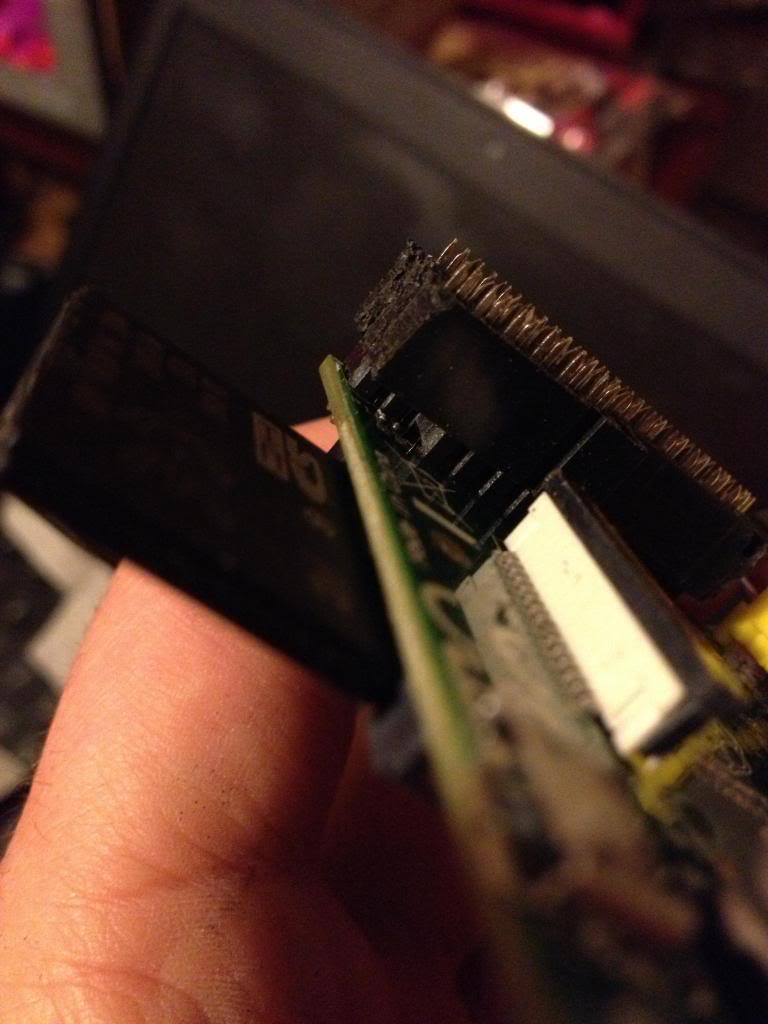
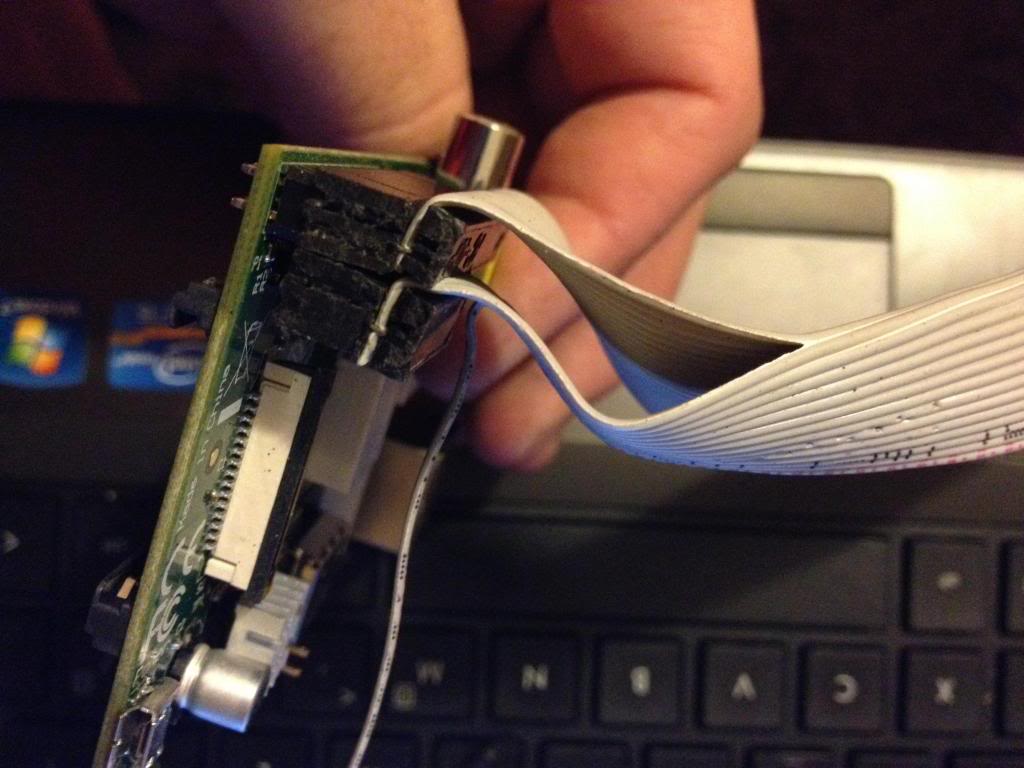
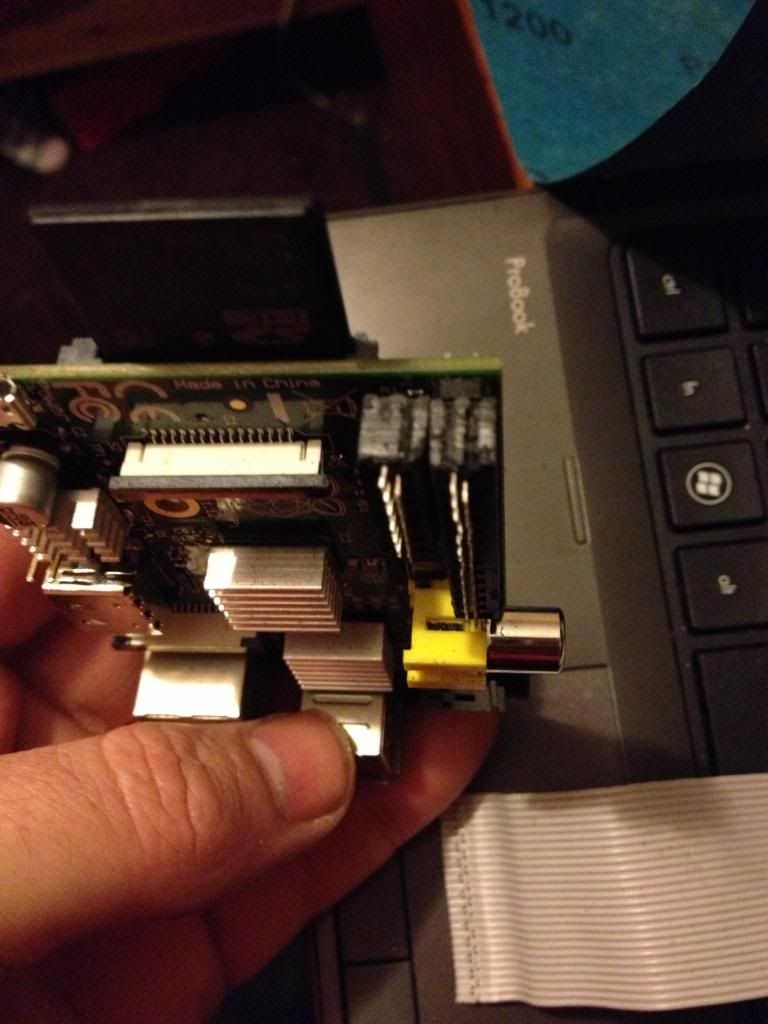
When you fold the cable over, the two plugs should sit next to each other in such a way that they will easily connect to the P1 and P5 headers, (obviously the sides of the connecttor previously sanded away to allow this fit must now face each other!)


Next cut the cap for the plug and glue over the top of the cable to insulate the terminals that have cut through the insulation on the ribbon cable.

And ensure that both connectors can be attached at the same time.

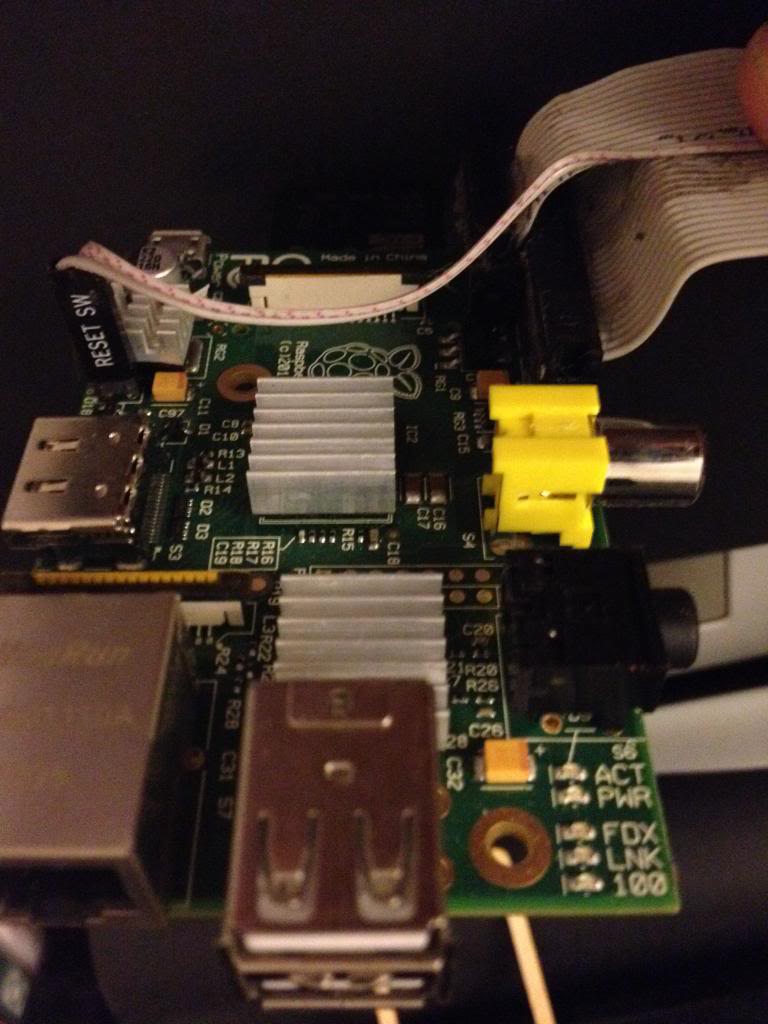
Finally attach a connector to the remaining two conductors in the cable and attach this to P6. I salvaged the connector from an old computer case to it says reset switch, shorting the pins of P6 resets the device so it is apt to use this connector.

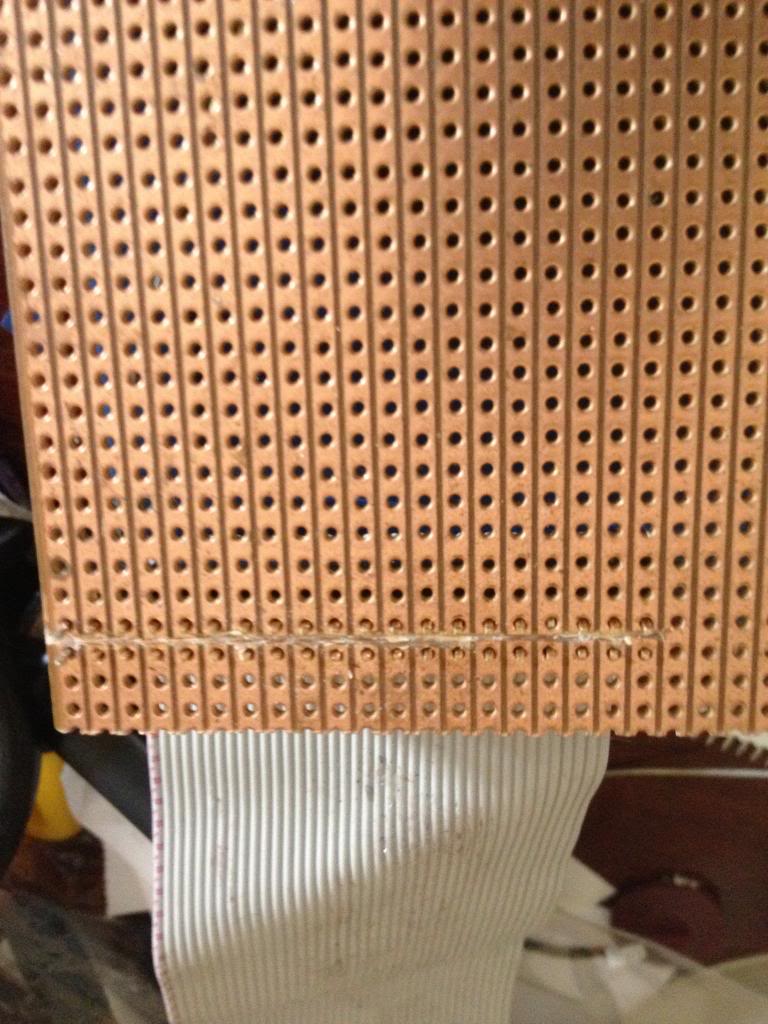
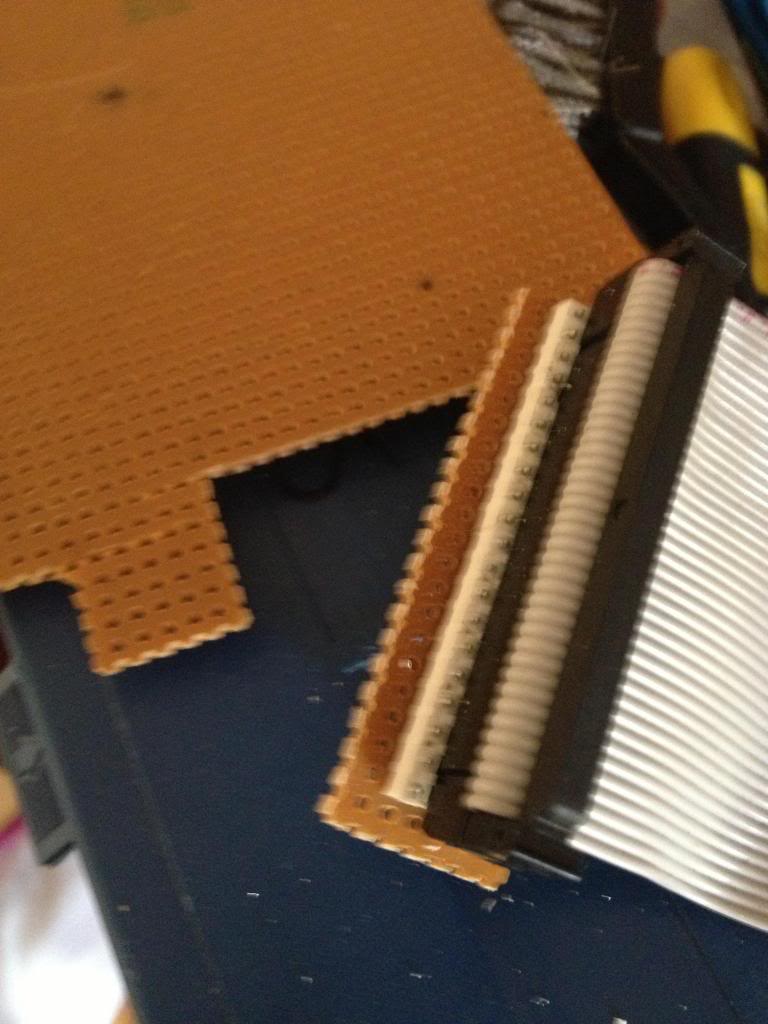
Next using some perf board cut the copper track on 22 rows ready to solder the 44 pin header.

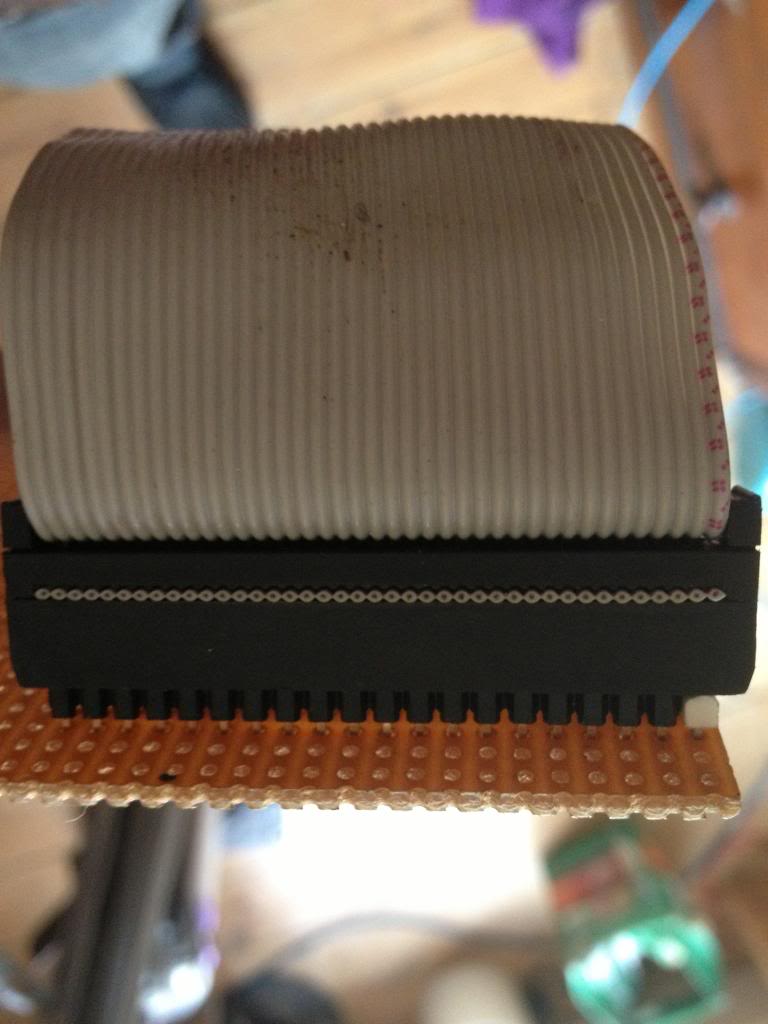
Now solder in the header pins to the perf board.
I've used a 42 pin connector which is black, and used a 2 pin white connector to mark pin 1.

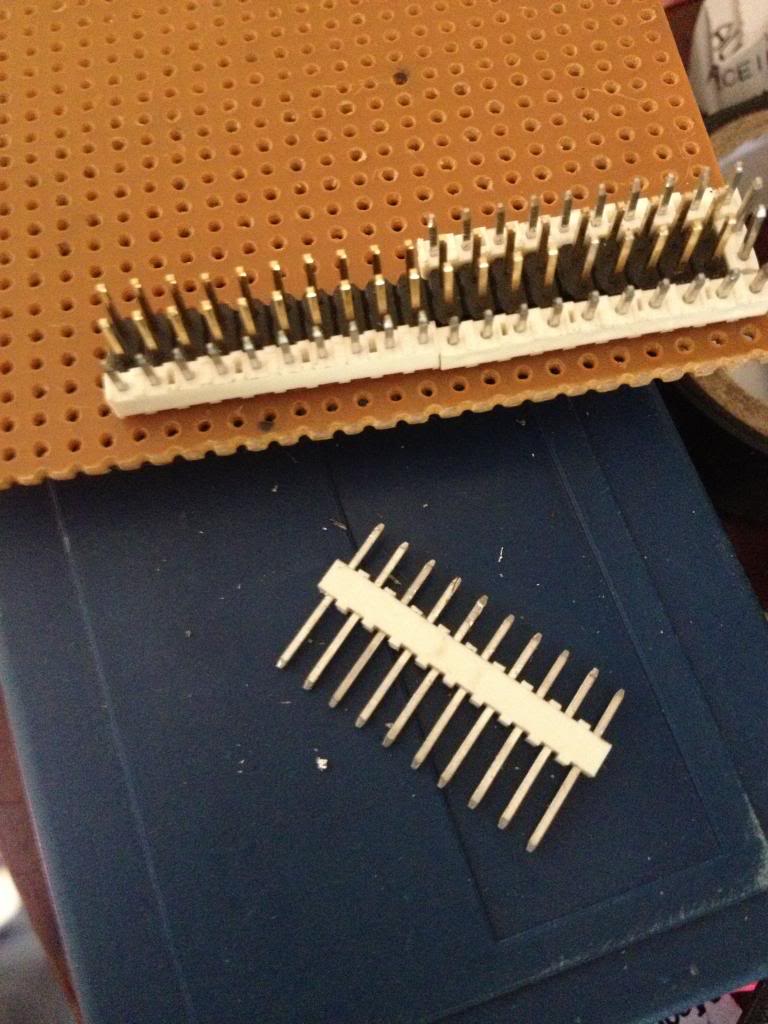
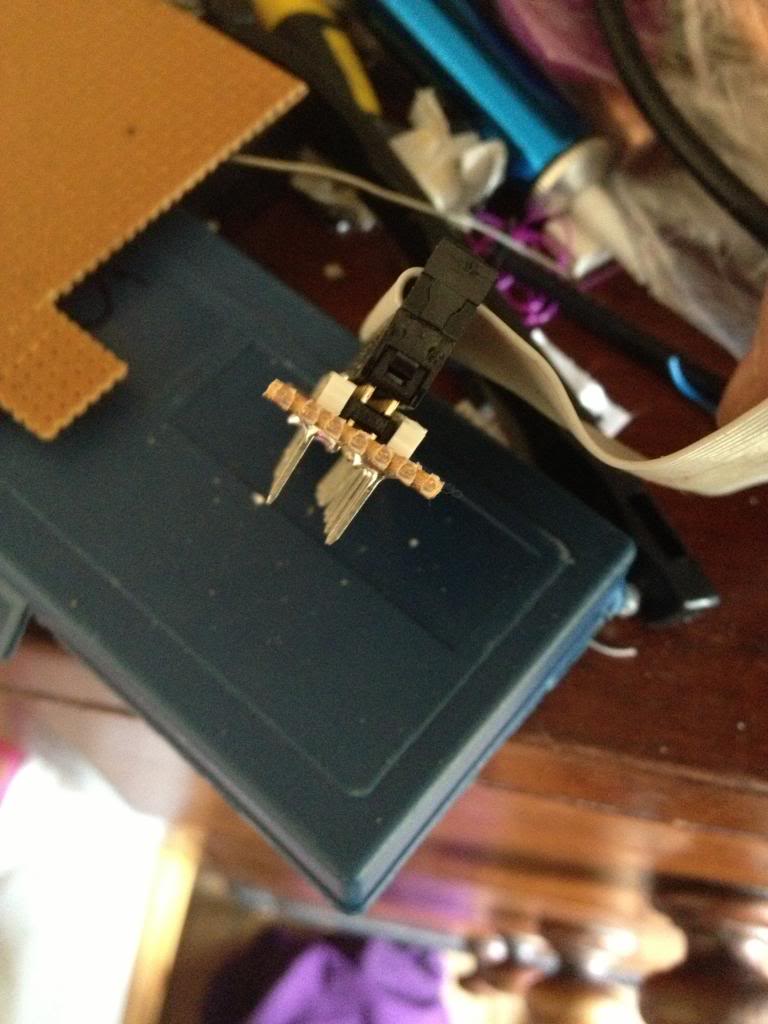
After soldering the cable header pins to the perf board you need to solder some pins that will go into the breadboard.

I used single rows of header pins next to the black connector header.


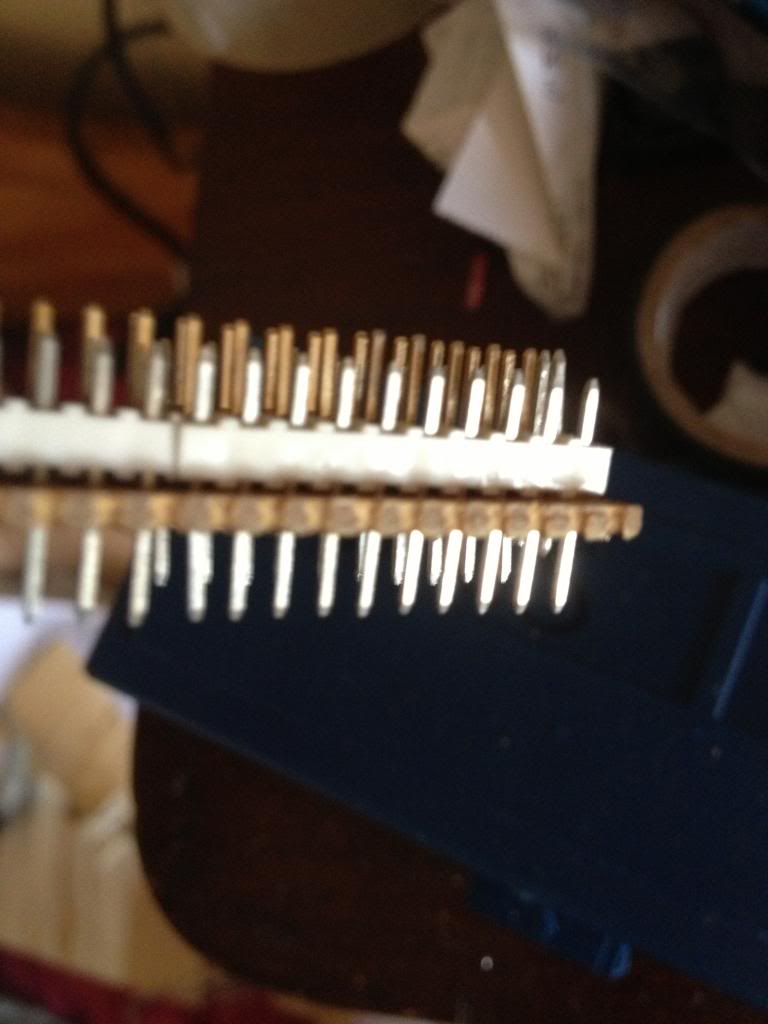
with the pins pushed down into the white block so that they protrude farther out the bottom of the perf board.


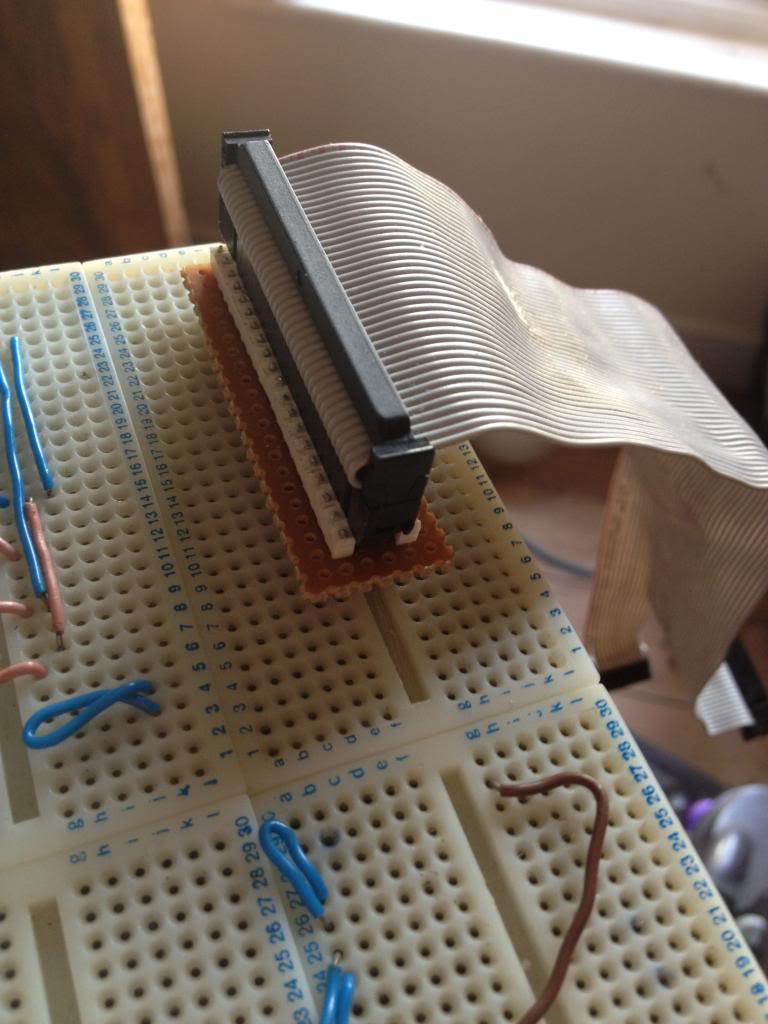
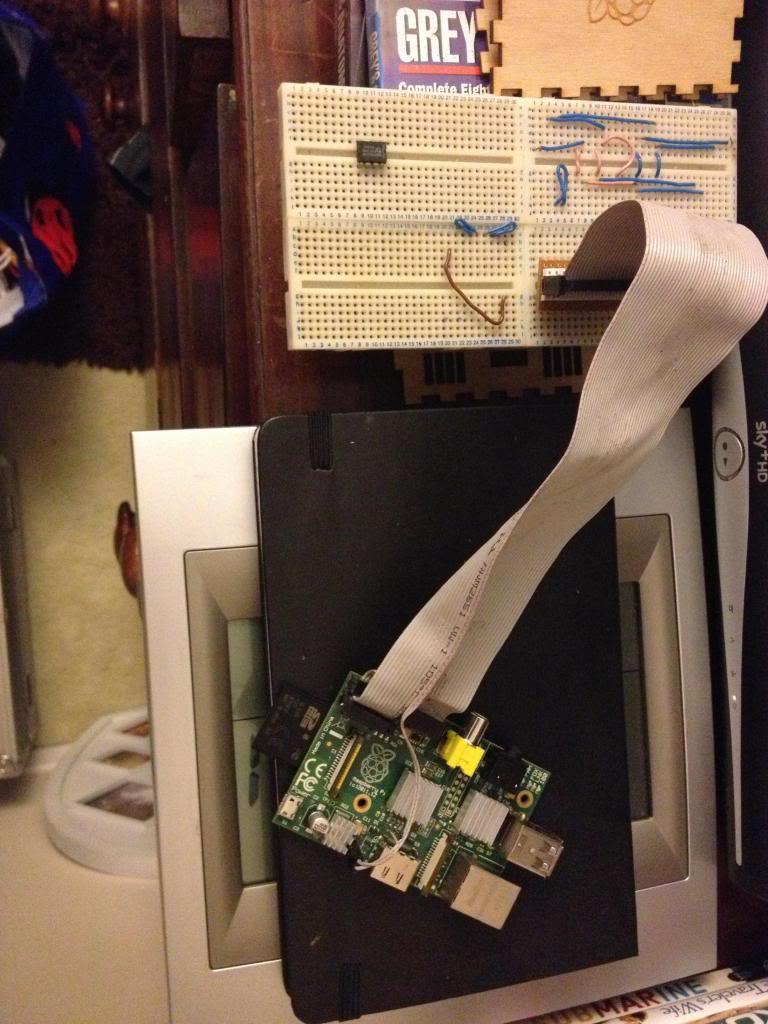
Finally the raspberry pi can be connected to my breadboard.


Monday, May 07, 2012

Red light torch (update from earlier project)

So a long time ago I posted a project that loosly described how to take a handfull of red LEDs and put them into a torch.

http://ah-screwit.blogspot.co.uk/2011/06/led-torch-with-difference.html
The idea being that, when you are out at night, if you want to preserve yuor night image then you need as much rodopsin in your eyes as possible, and light bleaches rodopsin, well, most light does, but red light does not.

Which is why you want a red torch to look at stuff when you're out at night as then you can preserve your night vision.

This post is just an update of that project, to show some pictures of the modified torch, and the modified torch in use.

After a while it because clear that this torch was just a bit big and bulky so a new LED torch was made.

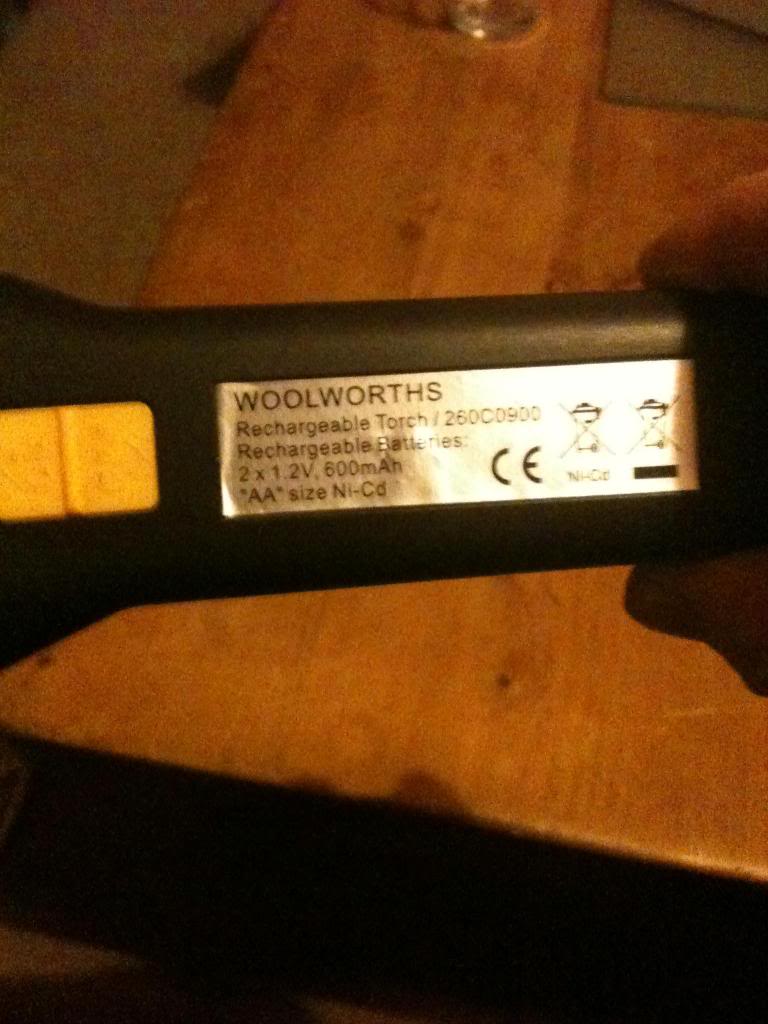
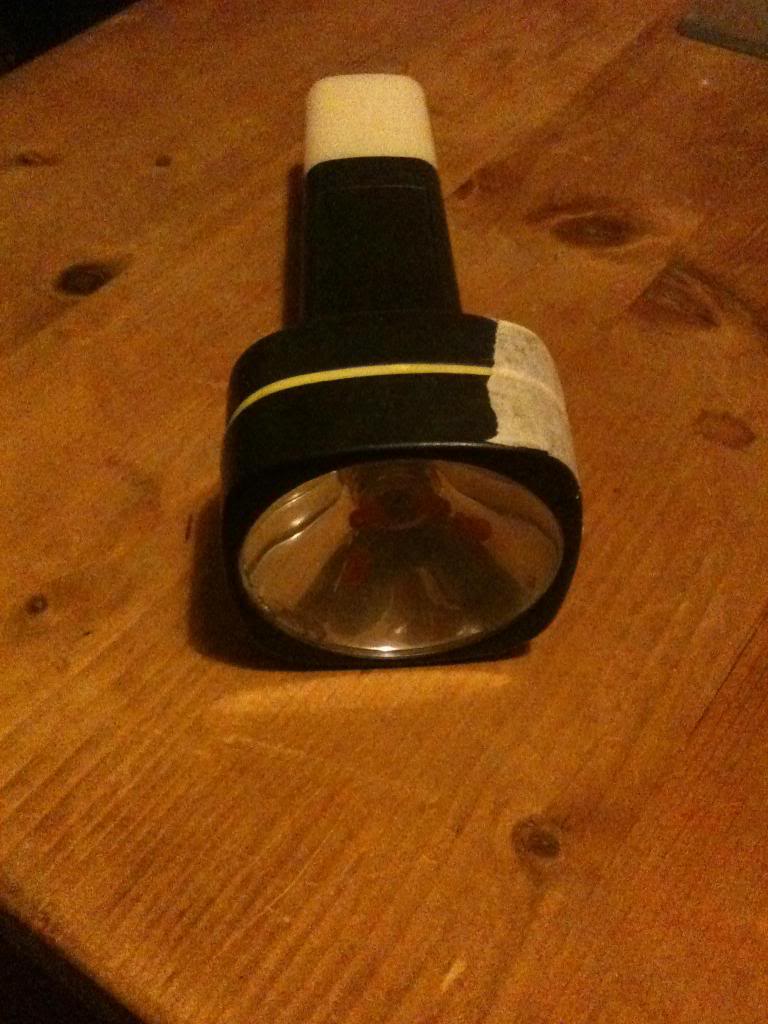
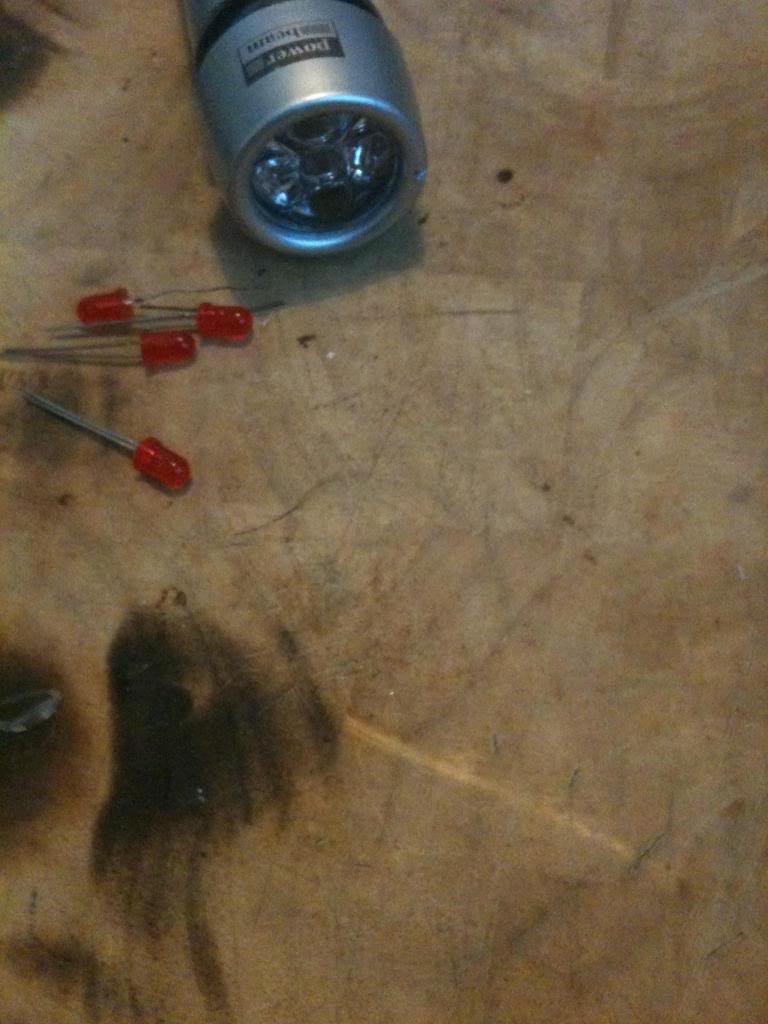
Original rechargeable torch from woolworths:

At the start is has a light bulb, which has been replaced with a cluster of LED lights, angled to point towards the reflector:

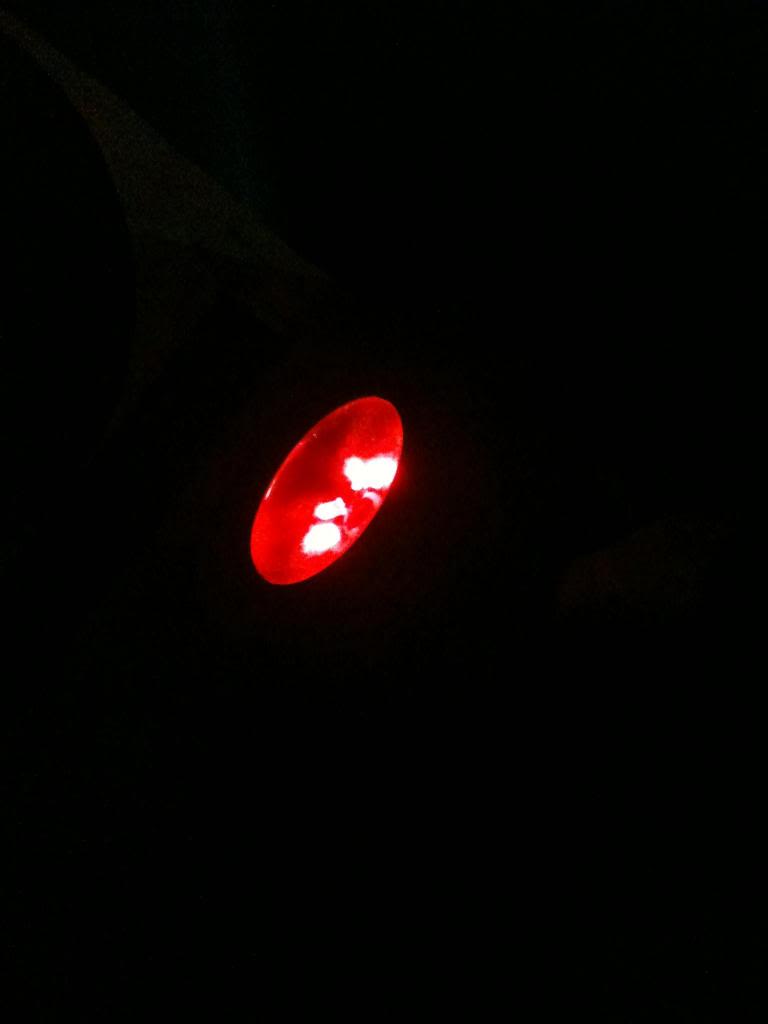
It's a little more impressive in the dark:

Especially for illuminating star maps when using a telescope at night:


Slimline Torch
After a few months of use it became clear that the old torch was big and bulky, having it in a pocket took up any space that could be being used for keeping sweets or gloves. so a new LED torch was made.

The body of the torch is a white LED torch/cycle light. this is the perfect donor torch because it's largly already setup for use with LEDs.

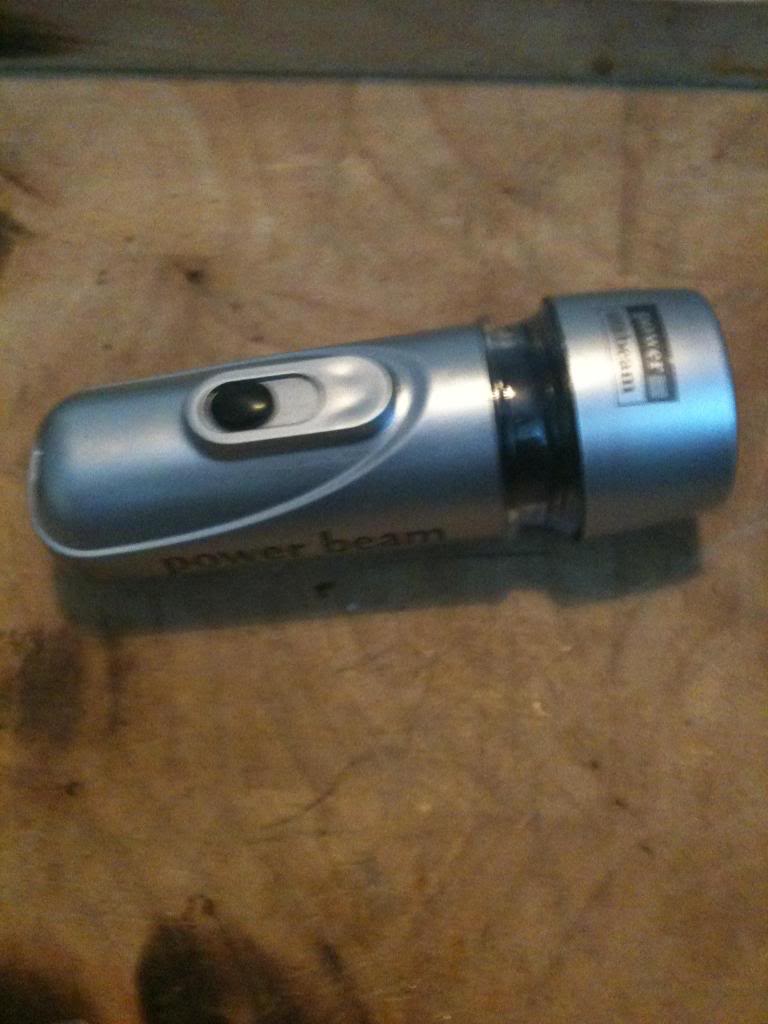
start with the torch:

you'll need 5 regular brightness LEDs (super bright will take away the point of having a dim red torch to preserve your hight vision:

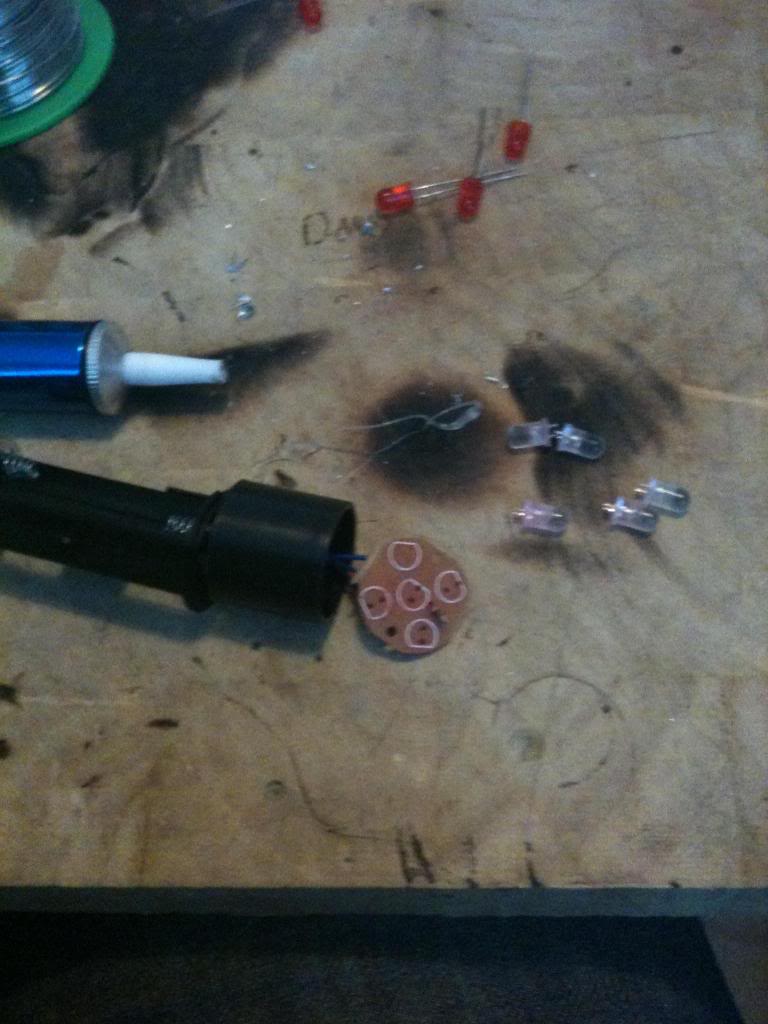
Take the reflector and lense off of the torch, (this is how you change the batteries)
now using a solding iron remove the white LEDs from the circuit board. -be sure to note their polarity!

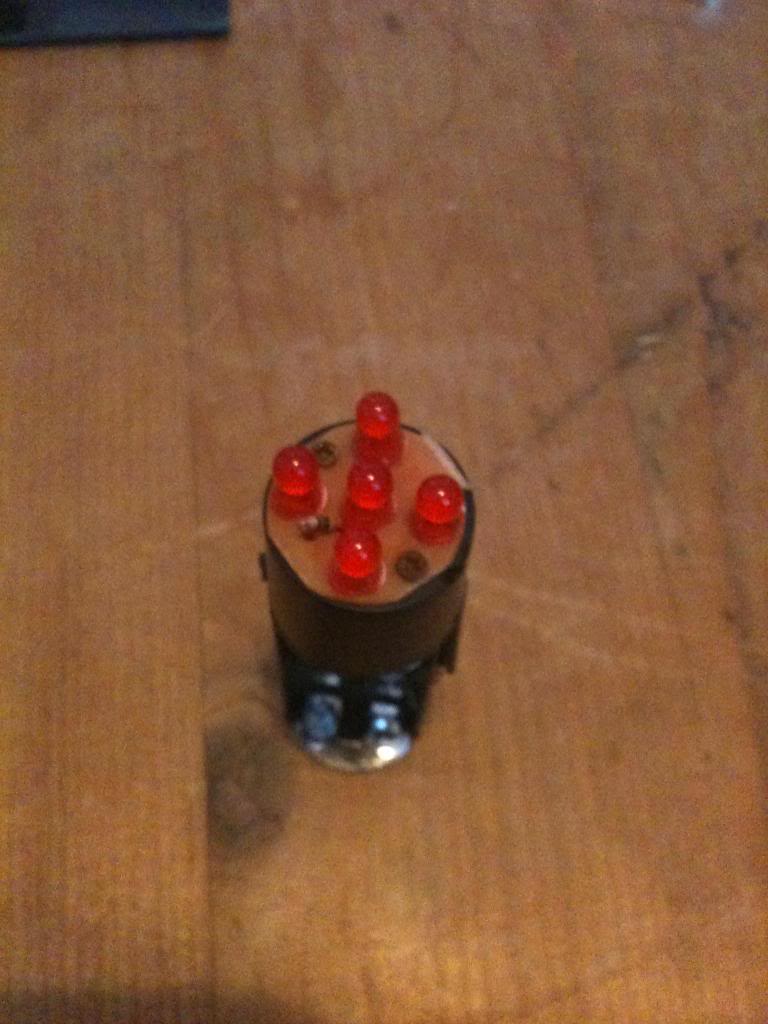
Now add the red LEDs to the board, again be sure to note the polarity

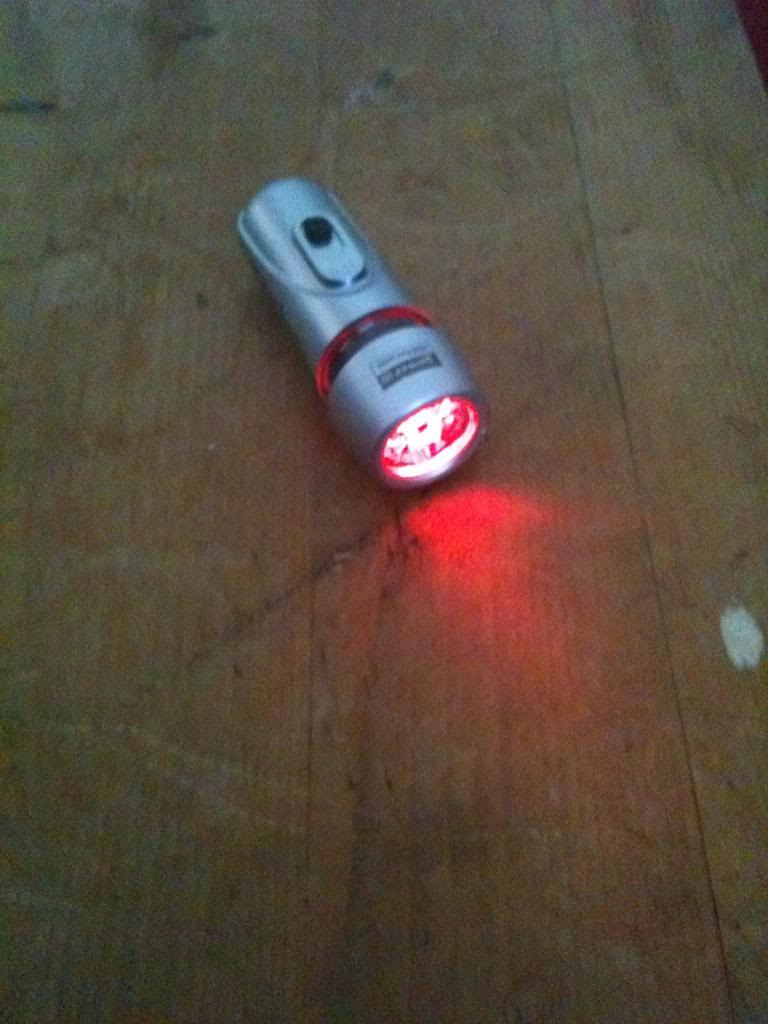
Finally test your new torch:


The costs for this project are as follows:

LED torch = £1 it came from poundland, for people overseas poundland is a stock surplus type store where everything inside the store cost just one pound.
5 x LED these are a few pence (because I buy them in quantities of hundreds at a time from Rapid Electronics.

The batteries came inside the torch and so are included in the original pound.

All in all the total price is not more than £1.10

Monday, April 02, 2012

Electronics lessons: Power supply

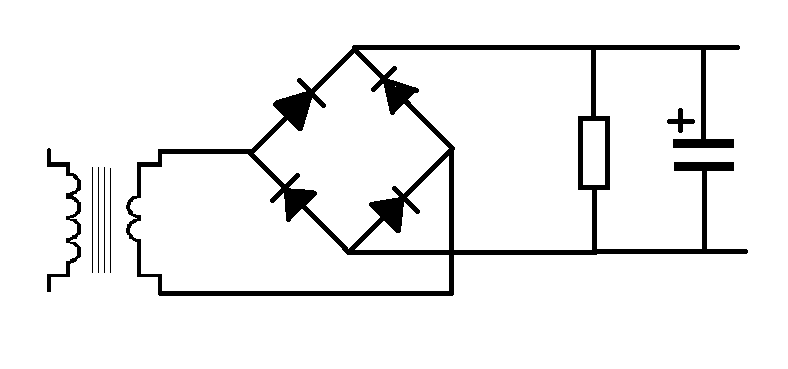
This is a very simple power supply circuit.
With the lessons on the transformer, diodes and capacitor this should be fairly self explanatory as to how this works, but I'll go through step by step.

What we need is to take a 240 volt supply an turn this into a 12 v supply for a circuit.

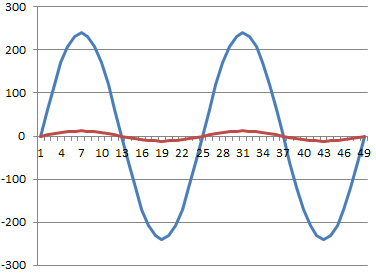
So we start with a transformer.

our mains voltage is 240, out ideal output voltage is 12

240/12 = 20, our transformer needs to be 20:1

After this we need to stop the voltage being an AC wave and rectify it.

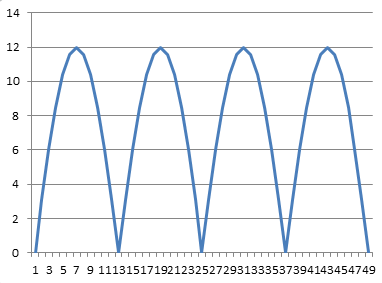
We'll use the full wave rectifier discussed earlier. this gives us that two humps per cycle (as the negative waveform becomes positive).

But this wave form isn't all that useful, you see each time it dips to zero it's effectively turning off.
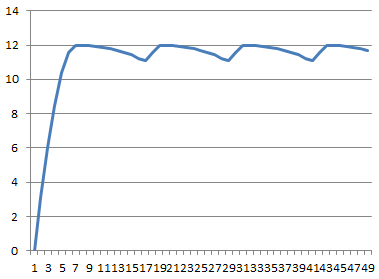
in order to smooth out the humps in the power supply we add a capacitor across the power rails, this acts like a battery storing power from the peaks of the humps and discharging, (and thus keeping the rail voltage high) as the hump drops to zero and whilst it's on it's way back up again.

Ripple Voltage
the series of humps has now been transformed into a straight DC line with a ripple in it.

That ripple can be very unwanted, consider what you can hear (20hz - 14Khz).
mains voltage is 50Hz, if you connected a speaker to the mains you would hear a low hum, (just before the fire started).

well, if the supply voltage in the circuit has a 50Hz ripple on it, that's also going to appear as hum at the output.

the ripple voltage is calculated as

Vpp = i/2fc where a full wave rectifier is used (as above)

Where a half wave rectifier is use it is Vpp = i/fc

So, where do we get the values from.

well,
vpp is the peak to peak value for the ripple voltage
I is the current in the circuits,
C is the value of the capacitor
and F is the frequency of the AC power

for the example above lets say that the load of the circuit is 1200Ohms.
we know that the votlage applied to that circuit is 12 volts

so the current is
12/1200 = 0.01A

The capacitor value is 0.001F (1 milifarfad)
and mains voltage is 50Hz

so the ripple voltage here is

vpp = 0.01/(50 * 0.001) = 0.2

so in this case the voltage goes between 11.8 and 12 volts, the ripple is 0.2 volts

Monday, February 20, 2012

Electronics Basic Lessons: Home Automation

The last two lessons were pretty short and sweet, kind of a hey look you can get light dependant resistors, and temperature dependant resistors.

Now I'm going to use those to create a little environmental control project.

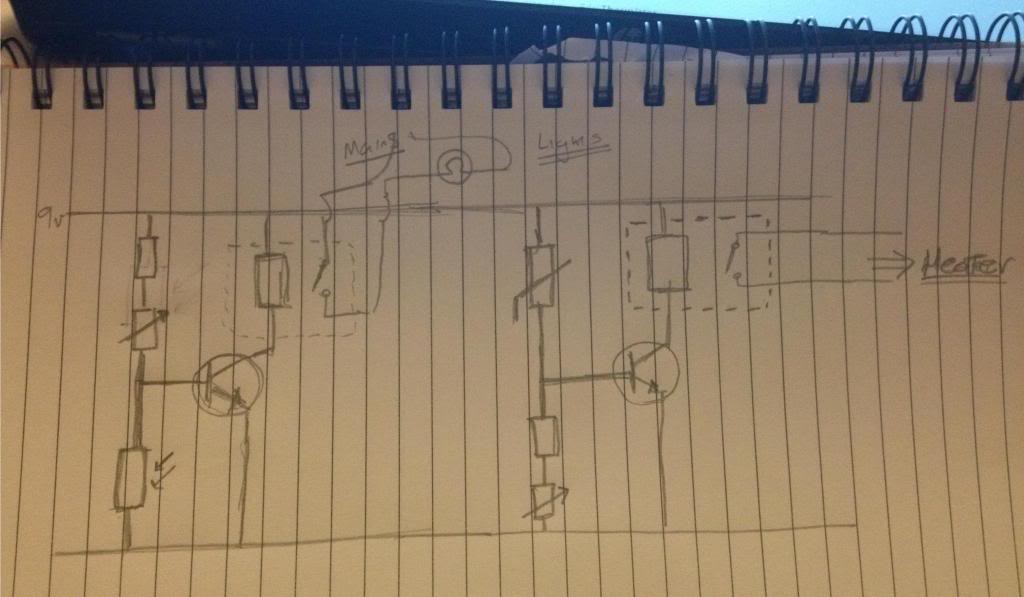
This isn't like some kind of fully fledged multi zone control thing. it's just a simple set of monitoring circuits that switch appliance outlets where you would plug in domestic equipment.

Lets define some component parameters of this circuit.
The light dependant resistor when fully dark has a resistance of 1Mohm, and when fully light will measure some 200 Ohms,
The Thermistor will have values that follow a linear pattern with temperature, 10 degrees = 1M, 20 degrees = 500K Ohms, 30 degrees = 250K Ohms
the transistors have a turn on voltage of 0.5v
The supply voltage is 9v

So lets start at the left side of the circuit and investigate the sorts of values of resistor that need to be used in the light sensor.

When the room is light, the LDR is 200 Ohms, and we need the base voltage to be below 0.5

0.4v = (9v/(?+200))*200

so we re-arrange that
0.4/200 = 9/ ? + 200
0.002 = 9 / ?+200
0.002 * (200 + ?) = 9.
200 + ? = 9 / 0.002
200 + ?  = 4500
? = 4300

We know that the resistor must be at least 4300 Ohms for the device to switch off the mains lighting when the LDR is in full brightness. the closest value would be 4.7K
? = (9 / 4700 + 200) * 200
? = 9/4900 = 0.36v
(so with a 4.7K we know for sure that the light will not turn on in full bright sunshine)

As well as the 4700 resistor (which we consider on it's own as we imagine that the variable resistor is turned right down and set to zero in full light turn on conditions)
We now need to make sure that we can set the turn on level over a wide enough range.
At full dark the LDR is 1M, and we need to make sure that the base voltage is 0.5v or above.

So we do the same equations again, (but we do have to include the resistor that we worked out earlier).
0.6v = (9v/4700 + 1000000 + ?) * 1000000
0.0000006 = 9v/1004700 + ?
(1004700 + ?) * 0.0000006 = 9
1004700 + ? = 9/0.0000006
1004700 + ?= 15000000
? = 13995300

So we need a variable resistor in the realms of 13Mohm to make sure that we can set the light not to come on in full dark, and adjust the light sensor to possibly keep the lamp switched on all the way up to near full light.

Temperature
The Temperature sensing part of the circuit works roughly the same. but since the resistor / variable resistor and thermistor network is the opposite way around the equations needed are

transistor V desired = (v/(R Thermistor + ?)) * ?
So at 10 degrees we want the thing to turn on, the thermistor = 1 MOhm

This time we'll use a slighly different equation, instead of Vjunction = (Vsupply/Ra+Rb) * Rb we'll use the equations

Rb = Ra/((Vsupply / Vjunction) -1)

in this case :

Vrb + Rb = 1000000 / ((9 / 0.6) -1)
Vrb + Rb = 1000000 / (15 -1)
Vrb + Rb = 1000000 / 14 = 71428

So we want our fixed resistor for ensuring that the heater turns on in the cold (and with the thermistor turned all the way up, (which in this case will actually set the temperature lower!) to around 71K

For the it's definitely far too hot turn off the heater temperature (30 degrees) the thermistor changes to 250K
Lets put that into the equation, (again assuming that the variable resistor is now turned all the way up.

VRb + rb = 250000 / ((9 / 0.4 ) -1)
VRb + rb = 250000 / 22.5
Vrb + Rb = 111111

From this we know that the resistor Rb must be 111111 (11.1K)
And the variable resistor must be 71k - 11k = 60K

Monday, January 23, 2012

Fixing an amplifier 2

Though the article is called fixing an amplifier 2, that's because this is the second time that I've been asked to fix an amplifier by a friend, note it's a different amplifier, the first amplifier fix was good and it's still working.

So, what's actually wrong with this amplifier.

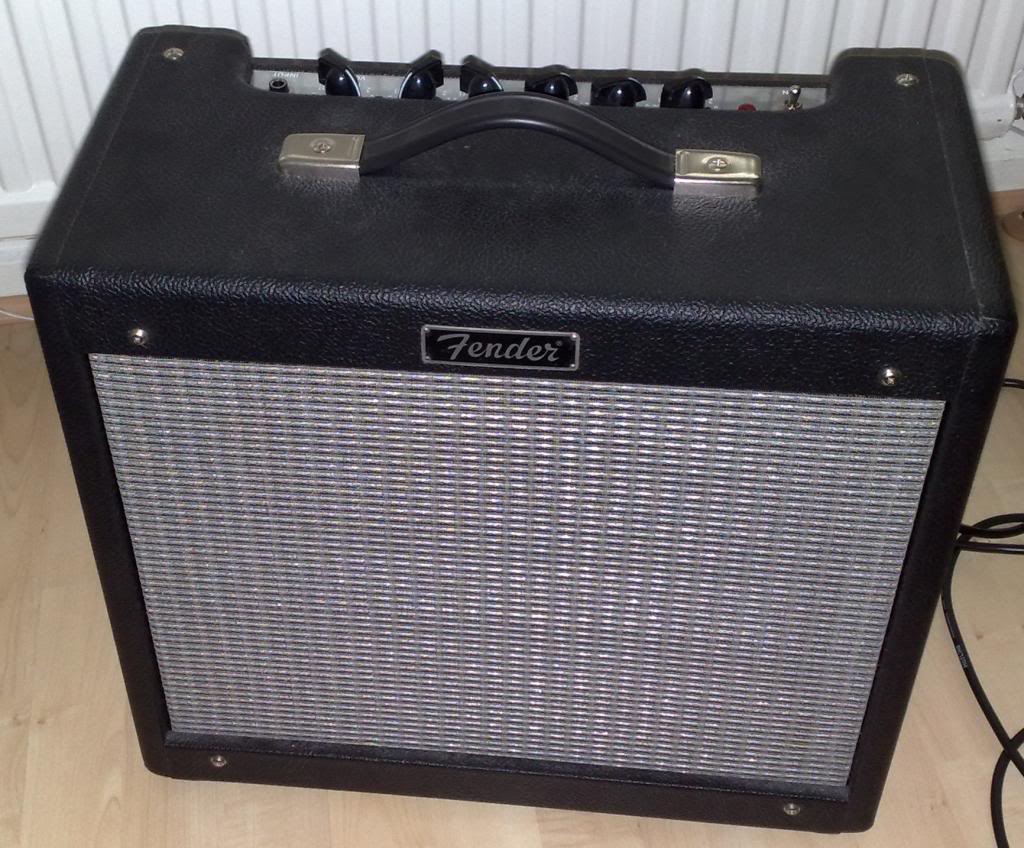
Well, the amplifier is a fender blues junior. these are some (in my opinion) very neat little amps, they have a kind of classic warm blues sound to them, they sound great when they are played at a medium level with a lovely clear signal thought them. They don't do that rocking blues, but they do clean blues sounds really well.

It's come into my hands because the reverb circuit appears to have stopped working.

One of the very cool things about this amplifier from a yes you can fix it point of view is that the circuit diagram actually comes with the amplifier, a quick look at the circuit shows that it's a fairly straight forward reverb circuit.

The signal splits after the pre-amp, and there is a clean channel and a reverb channel, the reverb channel goes to the reverb tank, then after the reverb tank comes back to a recovery amp, then into a mixer circuit where the time delayed signal is mixed to the clean signal to create reverb.

So the first place to look logically is the first component in the circuit.

The reverb tank.
in a guitar amplifier is is most usual to find spring reverb units. the unit works like this.

at the start of the reverb there is an electromagnet, the audio signal goes through the coil of the electromagnet.

that creates a magnetic field that varies in strength according to the music.

the electromagnet acts to move a spring.
the movement at one end of the spring travels through the spring to the other end, where the the springs are contained in wraps of wire.
the spring induces a current in these wraps of wire, (moving magnetic material in a fixed coil induces electricity).

that very small induced electronic signal is then amplifier and mixed back into the original circuit.

the springs work because they are metal and thus conduct the magnetism applied to them as well as the vibration incurred as the coil is energised with the musical signal, in a straight wire this may introduce delay, but the springs, (being as they are springy) bounce around, even after the original signal is recovered the springs will still be bouncing, eventually (as the springs are under tension) the transmission springs movements dampen down until they stop.

It's this dampening that causes the multiple echo sounds that we call reverb.

Back to the amp
In order to test the reverb tank you will need a multimeter.

First unplug the round connector that is at the input side of the tank, and measure the resistivity of the reverb tank, (connect one probe to the centre of the connection, the other probe to the outside.

Make a note of the resistance.

Next unplug the connector on the output side of the reverb tank and measure this.

These reading should be reasonably low. I can't remember off the top of my head what they should be, but one side was reading quite low, not so low that it seemed like it might be shorting out.
The output side was reading very very high, so high that it was likely that there was a break in the coil.

I ordered a reverb tank on-line and replaced the tank. and this amplifier started working again.

30 minutes, and taking out four screws was all it took to fix this amplifier.

Monday, November 21, 2011

Electronics lessons: revisiting the relay

So a few weeks ago I introduced the relay, in my planning of what I'd like to appear next in this blog I realised that I forgot to include a mention of precautions that should be taken when dealing with electromagnetic relays.

As you know electromagnets can be used to generate electricity.
you have a coil of wire, you put a magnet inside of it, then you take the magnet away.
the collapsing magnetic field causes electricity to be generated.

When you have energised a relay you have created a magnet. when you turn a relay off you cut electricity going to the coil, the magnetic field collapses, and much like in a generator electricity is generated in the coil.

This spike of electricity occurs in the relay coil, and will travel throughout the circuit, if there are electrically sensitive parts, (transistors, or micro controllers) in the circuit these can be damaged by this electrical charge, which travels backwards through the circuit.

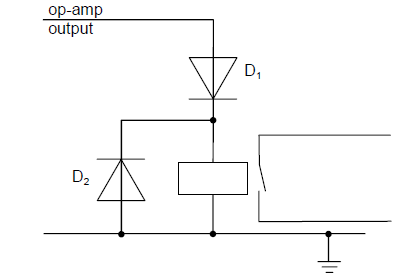
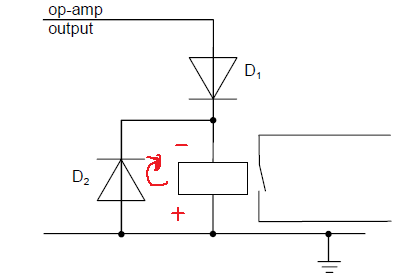
this "back EMF" backward electromotive force, can be limited by putting a diode in parallel with the relay like so:


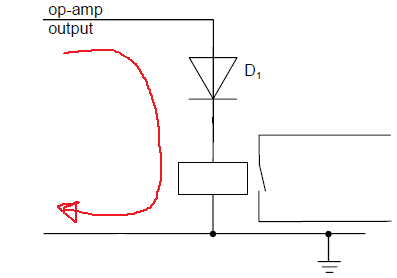
During normal operation electricity flows from positive to negative.
the relay is energised


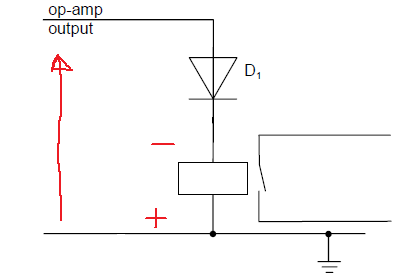
When the coil collapses the relay becomes a generator, but a generator that's connectted the wrong way around.

now a large voltage spike is introduced to the circuit, backwards, this voltage spike may be greater than a components maximum rating for reverse polarity connecttion:

the result is that the components may die.

putting a protection diode in means that rather than travelling backwards through the sensitive components, (where not inconsiderable work needs to be done to breakdown a component) the path the voltage spike takes is through the diode right back to the other side of the relay coil.

Monday, November 07, 2011

The Workbench/shop stock list

I've had enough of posting lessons for a little while so I'm going to post a little commentary.

back to a subject visited earlier in the year, the what tools should you buy list.

So far I looked at some very basic Electronics tools:
http://ah-screwit.blogspot.co.uk/2011/07/workbenchshop-stock-lists-electronics.html

As that post says, this was prompted by an article on Hack a day that was asking for comments on what are essential workshop stocks.

There was a £60 spend on the very basic electronics workbench and roughly £130 spent on woodworking tools (well you really should make nice cases for your projects!)

So of the original £600 budget I still have around £400 to spend.

During the course of introducing components I've suggested making a logic level indicator
http://ah-screwit.blogspot.com/2011/07/logic-level-indicator.html
This will save you a whole load of time making the circuit over and over and money, it's much cheaper to make this than to buy it.

So far on the list of stuff that you really should have in your workshop/workbench we have:
multimeter
soldering iron
Iron  stand
breadboard/choipping board/work surface protector
solder sucker/braid
breadboard
Clamps
Saw
Tape measure
Square
Marking Tools
Hammer
Punch
Chisel
Drill
Drill bits
Screw drivers
Safety Gloves

So lets start adding to that list.
By now you must have figured out that there are a few tools that are rather specialised, (solder suckers can only be used for sucking up molten solder) whilst other tools seems to be able to complete a variety of tasks with no ill effect. -as well as being able to solder a soldering iron is also a really good tool for burning wood, (that's if you're into creating wood burning drawings.

I've realised that there is a pretty essential item missing from the list.
Pliers
A decent set of pliers will include both needle nose and bull nose pliers.
If you're doing Electronics then you'll want a small variety, you'll also want a set of side cutters.
If you do bead craft then you'll mainly be interested in needle nose pliers, and side cutters.
Large work (and metal work) will likely require larger pliers.

A lot of needle nose pliers and have wire cutters built into them, and can also be used for holding nails as you begin to hammer them (saving your fingers!) three uses in a single tool. you should definitely get that!
A set of small pliers
http://www.maplin.co.uk/5-piece-miniature-plier-set-31557
this 5 piece set has bul nose, needle nose, end cutters, side cutter and curved needle nose.
£12.99 can't go wrong.

I think that takes care of all the change from the first £200 and gives you a pretty full tool box capable of working with both wood and electronics.

But lets look at expanding that...
As much as when you're starting out you clearly won't just spend £200 right off the bat on new stuff for a hobby. that list is very far from an exhaustive list of the kind of stuff you;re going to want to have around when you start to get seriously involved in the (very rewarding) world of DIY stuff, or hobby making and fixing.
now we'll start looking at some more specialist tools, these are the kind of non-essential stuffs, but also the high price items, this is where the money starts to disappear fast! so this is also where you may start to specialise. (As you may have gathered from the wide variety of lessons and projects in this blog I'm rubbish at specialising, for the tools I have, to buy new would be thousands, even buying some second hand at car boot sales etc I've probably spent thousands!

Wood Working
If you are into wood working, this is the time you need to start considering some real power tools.
if you cut a lot of boards then you will probably want to invest in a Circular saw (£50), a set of long straight edges to use as a fence when using the circular saw (this could just be a long length of wood) you'll probably want to finish the edges and corners of wooden box projects with rounded or moulded edges, or inlay router detail, so you'll want a router and a set of bits (£50) if you ever want to cut out objects that are not straight you'll want to consider getting a scroll saw/jigsaw (£50) finishing project sanding large table tops by hand isn't great, you want a power sander, maybe even more than one, a belt sander for really ripping into a course surface (£50) and a sheet sander for more detailed work (£50) if you ever plan on doing DIY that involves say hanging a door or making rough timber smooth then you'll likely want a power plane (£50)
now you have £100 of that £600 budget left. if you;re doing big wood working projects, you'll likely need to bolt something together one day, so you'll want a ratchet set (£30) and you're going to need somewhere to work, a couple of folding "workmate" benches, which are about £30 each.

that's £600 gone. (£200 in previous blogs and £400 on those last tools)

now you can comfortably make small electronics projects and do some very nice woodworking projects. even with £600 spent there is still no table saws pillar drills, the planner is hand held, not a table. the more "into" making things you get, and the more your skill develops, the more tools you will inevitably buy.

Electronics
Lets assume thatyou want to specialise in electronics. and want to cover a mix of analogue and digital projects.
First tool you're going to want is an oscilloscope, these can be had from eBay for as little as £20, for an old analogue scope. but can also go right up into hundreds or thousands for digital storage scopes. you can get scopes that attach to your PC. this isn't the place for talking about how to chose a scope. but right now we;ll budget about £100 for a scope. that will be a reasonable new scope, or a great second hand scope.
You'll also want a function generator for giving your circuits signals that you control. that again will cost you about £100.
You're also going to spend around £50 on good leads and probes to connect them all together.
You should consider getting a microcontroller development board. I mainly use PIC chips from Microchip a programmer for these costs around £20 for a generic one.
You may also chose AVR or similar programmers cost around the same, you could also just buy a single chip development board, the arduino costs about £20, but why buy just that board when you could get a programmer for the who AVR range from Atmel for a similar price?? my pickit2 programmer also programmes a variety of EEPROM chips.

you now have £130 change.
but you're now making some big circuits, one breadboard isn't cutting is, you need more.
you also want components, LEDs resistors, crystals resonators for the chips, capacitors, the chops that you are using. a set of draws to keep components sorted (£30). that £130 will disappear fast!

Metal Working
I haven't posted many metal working projects just yet, that's because they tend to be big, and bulky, taking lots of time and space. metal working is also a pretty specialised and expensive arena to be in.
that £400 change you have from the initial lessons.
welder £100 - £1000 (don't buy a sub £100 welder) and the only welder you'll get that is good for that money is a stick welder. (useless for sheet metal work) (I'll call this £200)
a big vice (£50)
a big blow torch (for brazing) (£50)
a set of hammers and dollies (£50)
a decent leather bag (£25)
brazing supplies (£25)

Fabric / Textiles
Textiles is an amazingly rewarding crafting experience. don't be suckered into thinking it's girl stuff and easy because it's just not!
You're going to want at a minimum some pinking shears, (they cut those non fraying jaggered edges)
needles, threads.
if you're doing big stuff a dewing machine is a must, (basic machine will set you back £100, avoid any one called mini or travel sold for around £30, they are rubbish.
however, most of the expense of your textiles crafting supplies is going to be materials cost. fabric is just not cheap!


Auto Mechanics
Gone are the days of having just a single set of cresent spanners and a flat head screw driver.
today if you want to work on a car you need some serious equipment.
the old stock tools are still needed.
Feeler guages for checking plug gaps and valve clearance (£10) 
Spring Compressors (£50) 
Circlip Pliers (£10)
Pressure gauge (£30) 
Rachet and spanner set (£100) - yes seriously a hundred beer tokens. go to Halfords, get their 200 piece professional set, it's expensive, but it's got pretty much every socket you;ll ever need  and is guaranteed for life, if you ever break a socket you go to a store with the broken socket, (that are all embossed Halfords professional) show them the socket and they replace it. you don't even need a receipt, all their professional stuff is guaranteed for life. tell them you lost the recipt but still want then to honour the promise, (clearly that's a UK only thing) if you're not in the UK then consider your nearest large tool supplier who are happy to put crazy guarentees on quality
A set of torque wrenches, (small medium and large) (£100)
a drain pan, (for catching oil) (£10)
a good trolley jack (£50 - £100)
Ramps (£50)
axle stands (£30) - seriously get Axle stands, I was working on my car the other day I heard a creak, I rolled out from under it to check out the noise, five seconds later the car fell of the scissor jack, the brake disc/rotor that was ten seconds before right above my chest was now on the floor.
well that's actually £500 spent, (though you may find what's called a lifting kit including ramps and jacks together for a good price, but I've still not included any diagnostic gear fault code readers. (the code reader I have for my car is a specialist Peugeot one that I need to have a dedicated laptop for as well!)

It's when you get seriously into the hobby that the serious money starts to be spent!
Monday, October 31, 2011

Electronics lessons: The Relay

So, a while ago we covered the switch, how contacts are made and how they are broken, the different types of switch that you could get, toggle switches and slide switches. but the thing is, all those switches relied on you pressing a button.

We talked about how the transistor acts like an electronic switch, but the problem here is that the transistor cannot handle, (as in physically, cannot handle will get too hot and melt) huge currents, also in some projects you may want to physically isolate some parts of the circuit away from other parts.

You may for example have a circuit that has parts exposed where you might touch them, but it's ok as it's very low voltages, but elsewhere in the circuit you may be using mains voltages to turn on a light, in this case what you need to use is a relay.

A relay is a kind of electronic switch. The traditional relay is made with two normal switch contacts,one of these is held in a fixed position whilst the other is on a stiff sprung arm, but is able to move.

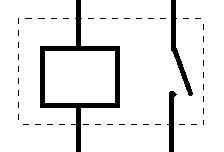
Traditional relays have a electro magnet contained inside, when activated this electro magnet pulls the sprung arm towards it, either opening or closing switch contacts. The symbol for a relay is a small box to indicate the electromagnet with a normal switch symbol alongside this, the switch contacts are contained inside a dotted outline to show that they are controlled by the relay.


Monday, October 17, 2011

Fixing an amplifier 1

The problem with this amplifier is that the input jack is a little hit and miss.

When you plug the input in, there is a 50:50 chance if the amp will make a noise, wiggling or holding the jack seems to make the circuit complete, so it seems that the amplifier is working, but the jack is not.

However, along the way, I managed to break this amplifier more than it already was, and had to replace part that were non-standard with standard parts that I had to customise.


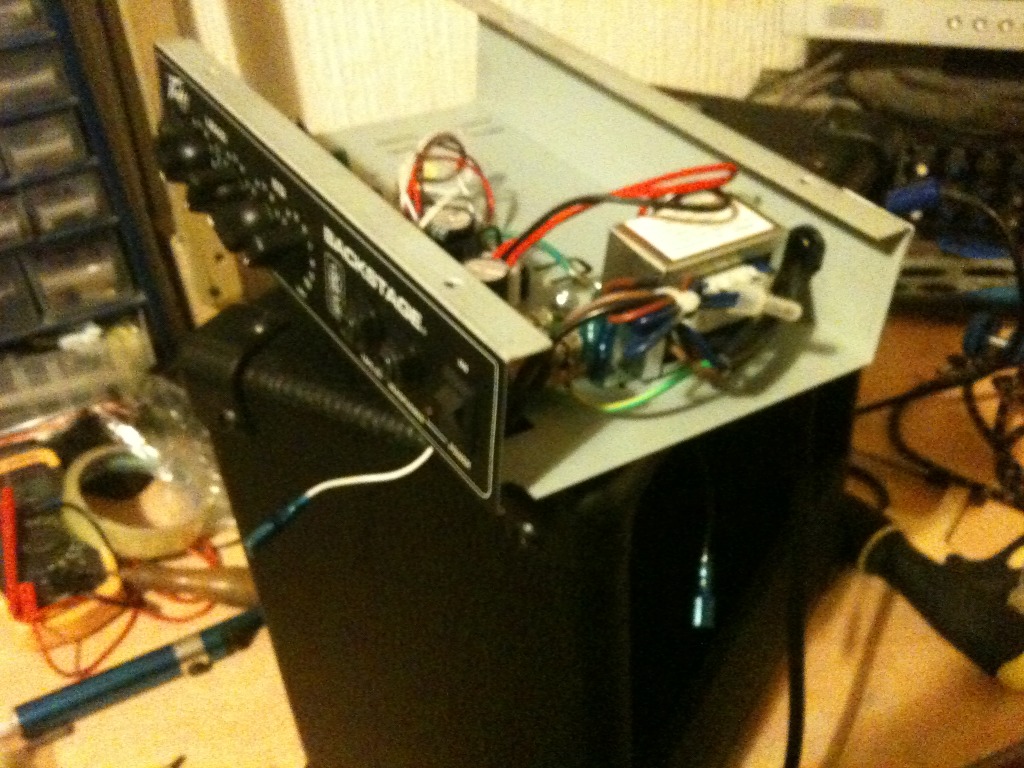
The amplifier in question is a Peavey Backstage amp, a tiny little guitar practice amp thing.
The basic problem is that sometimes you plug the guitar in and it works, sometimes you plug the guitar is and it doesn't work.
sometimes you plug the guitar in and it works, but only if you wiggle the jack lead around in the socket.

Basically, the input jack has for one reason or another seen better days, and could do with repairing.

Start by disconnecting the speaker wires, to ensure that you re-attach them with the correct polarity, (and thus correct phase) write down which terminal the white wire comes from and which wire the blue one comes from.
Next, remove the four screws on the top of the amplifier, and sliding out the tray that holds the electronics, push from the front, to the back.

next remove the wiring for the transformer, and output power transistors as these are mounted on the chassis case, and remove the circuit board from the case.

In order to remove the circuit board from the case, you'll have to remove the plastic knobs from the front panel, these just pull off, or at least should just pull off.

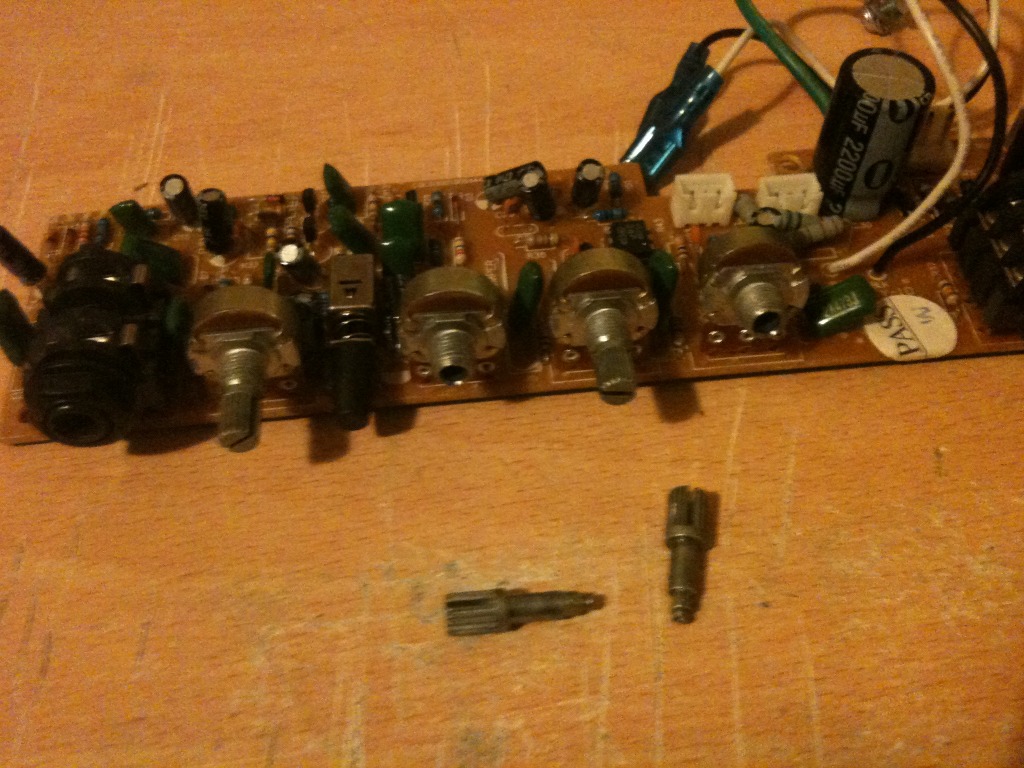
This is where the first "challenge" of the build started, when removing the knobs the potentiometer came apart on two of the controls!
This is no trouble, all I needed to do was replace the potentiometers. I could see that they were the small type, (mini pot) as the body was about the size of a 1penny piece, (instead of the regular size of just smaller than a 2penny piece).
looking at the body of the pot I was able to determine that I needed a B47K (linear 47k pot) and an A10K (I think) (Analogue 10k pot)
So I nipped to the shops and bought 2 mini pots of the correct size.

the only trouble is, rather than receive pots with a stubby shaft with straight splines attached, I received a pot with a long smooth shaft. Alas, I found that I could buy small splined pots, if I were willing to wait a few weeks and pay twice as much, or I could use the pots that I could get and make them fit.


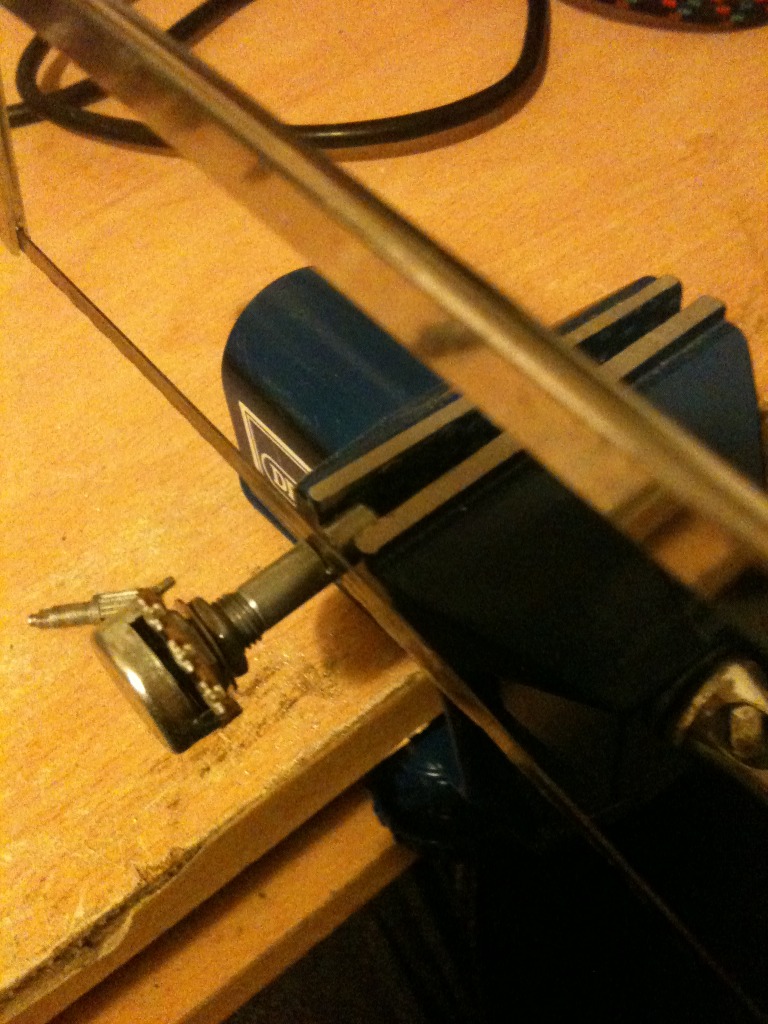
to make them fit, I need to shorten the shaft, and then put a texture into the shaft such that the plastic knob will have something to grip.

so, step 1,
Put the pot next to one of the existing ones on the board, use a marker to mark the length that the shaft needs to be.

step 2, cut the shaft.

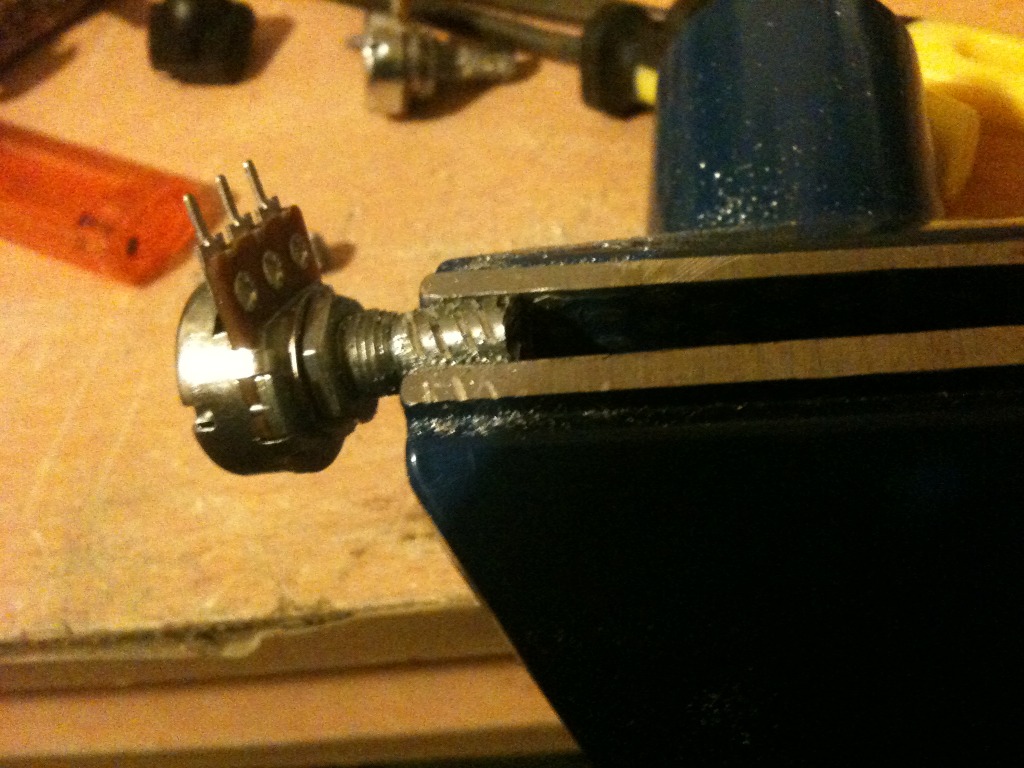
step 3, hold the newly shortened shaft in a vice, and using a needle file score a spiral pattern into the shaft.

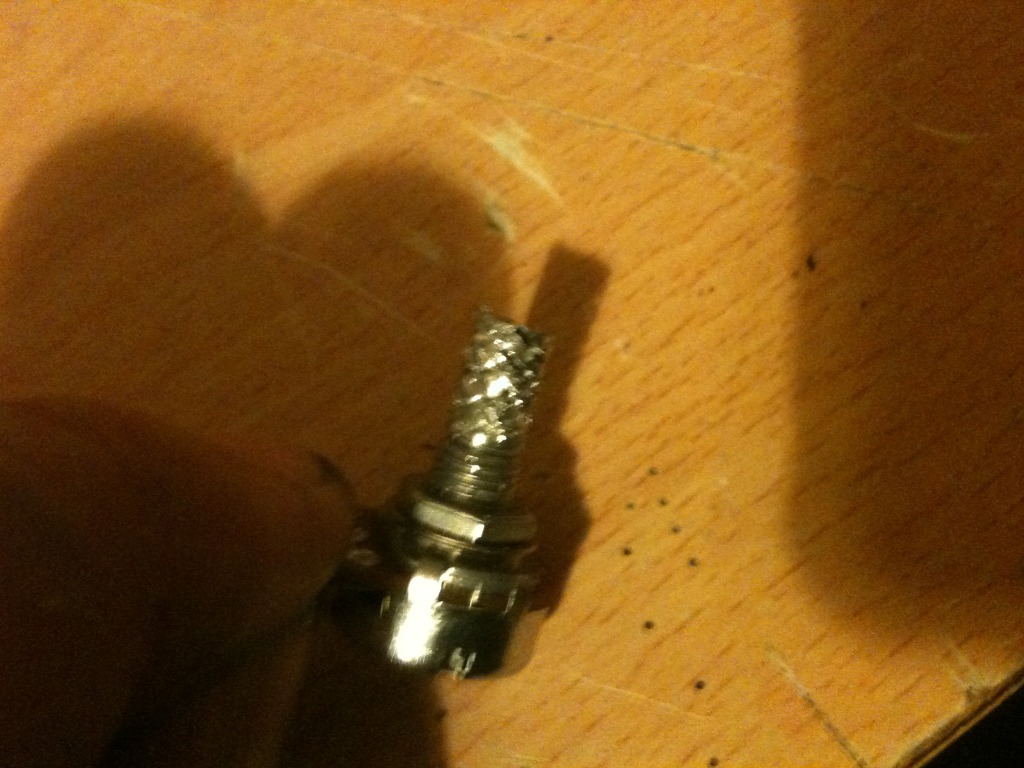
step 4, reverse the spiral pattern to give a knurled looking finish.

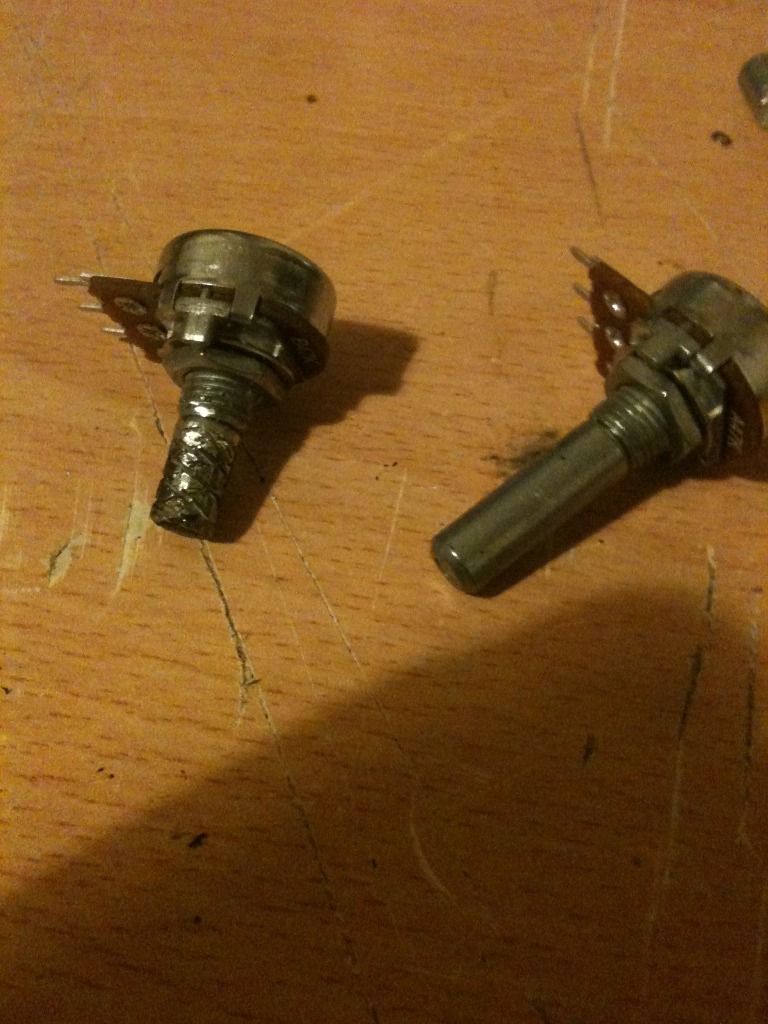
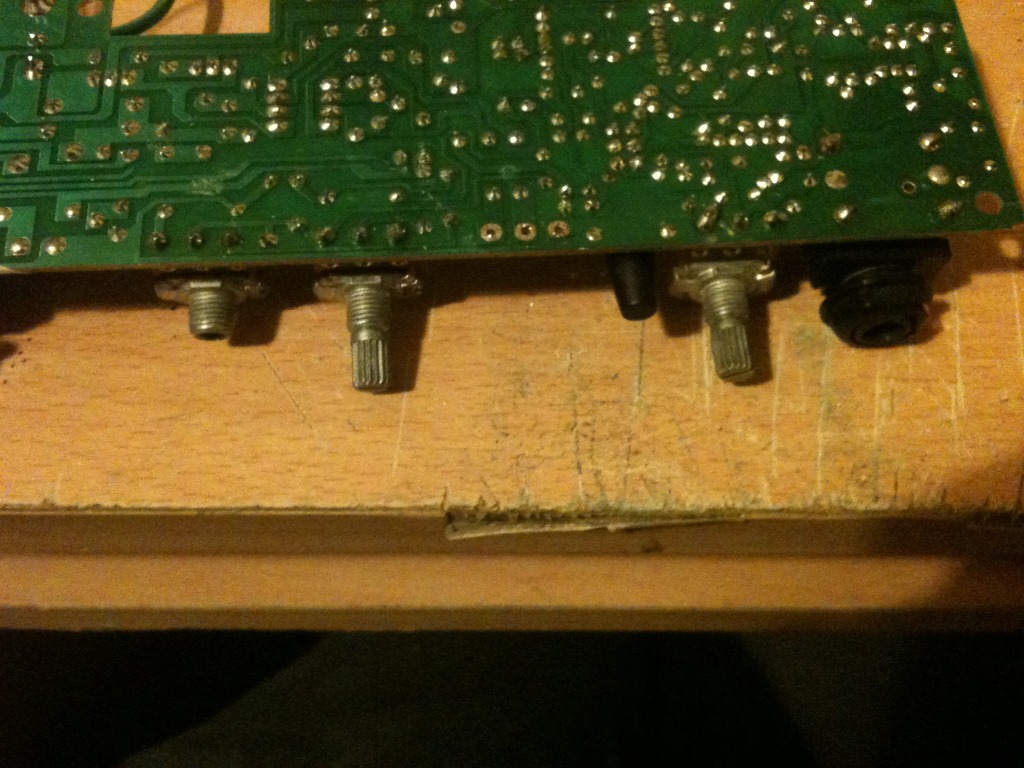
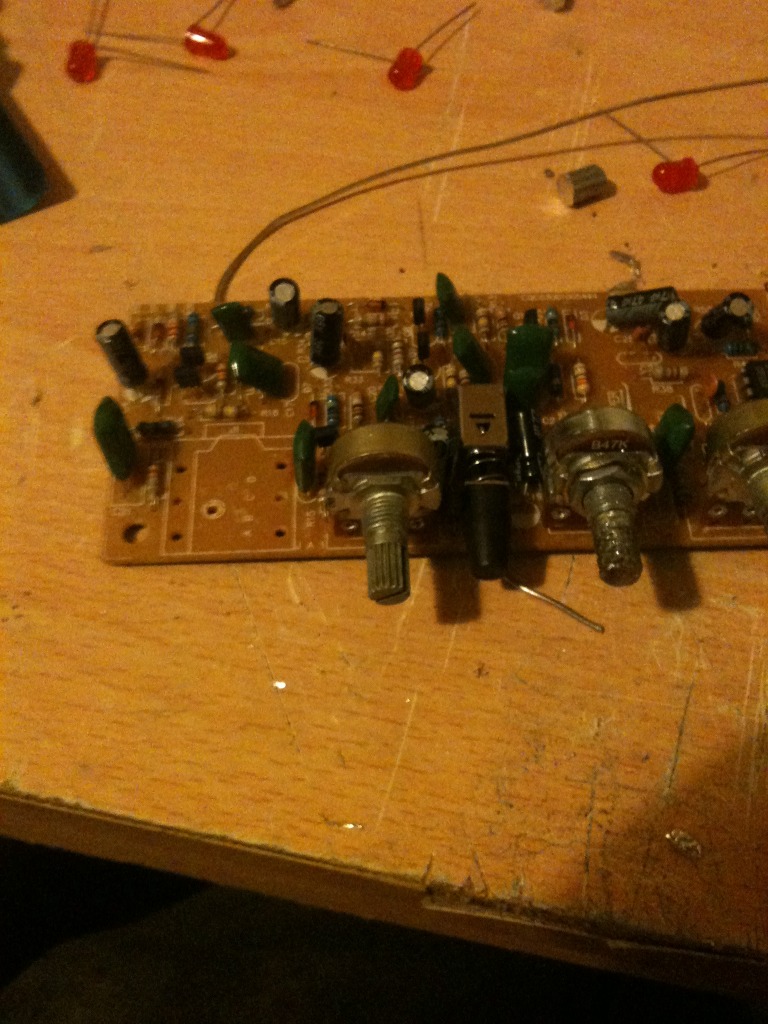
Here's a picture showing an unaltered pot next to my newly customised one.

Now remove the old broken pots from the amplifiers circuit board, (Don't do this at the start, else you may forget which is meant to be the analogue one and which is the linear one!)

now solder in your new pots.

Now it's time to replace that jack socket.
simply remove the jack socket by de-soldering it's 4 legs,  pull out the part and solder a new one in!

screw the circuit board, back to the chassis.
plug in the transistors and transformer again.

slide the amplifier tray into the back of the amplifier.
insert the four screws into the top that hold the tray to the amplifier body.
re-attach the speaker.
now test the amplifier.